Lookout - Assisted Vision
Defining the User Experience for Google's first tool to help people with blindness use their phone's camera to interact with the world.
Download Lookout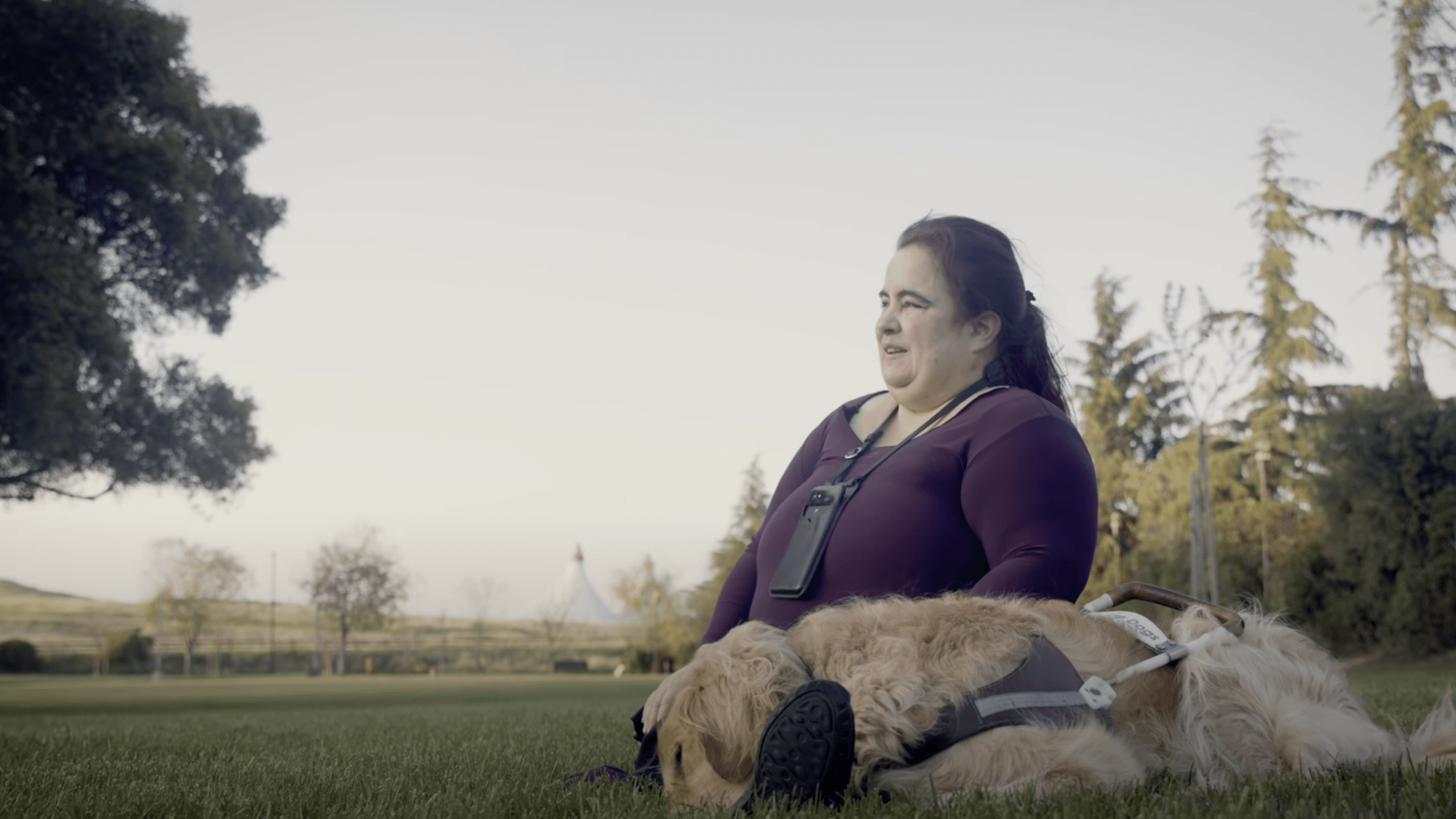
Maya Scott - Theater and Art Instructor - Need: Identifying art tools apart. Promotional video announcing Lookout.
Project Overview
🚀 What it is
A vision assistant to help people with vision loss explore the world.
🔧 How it works
Lookout uses the mobile phone's camera to produce a stream of speech to verbalize the objects that it sees and reads out text to support everyday tasks like cooking, sorting the pantry, or physical mail.
👥 Team setup
First Interaction Designer joining an Engineering team with a Product Manager and UX Researcher that onboarded me to the project.
⏱ Project duration
50% time for 6 months and 20% Consulting.
Contributions
Established the team's design process. Supported the product definition by facilitating user journey workshops. Contributed to multiple rounds of validation, defining prototypes for interactions and experiments to evaluate the app's usefulness and usability with users. Implemented ideas and user recommendations for interaction design patterns. Redesigned the user interface of the prototype, optimizing its navigation and user onboarding. Coordinated and delivered the user experience for Lookout's first launch.
“Help people who are blind be more independent and productive so that they live happier, healthier, and longer”
Design process
I established a design process that supported iterative prototyping for a computer vision tool in active development.
Some challenges for me included the fast pace at which engineers delivered prototypes with continuous technical improvements for different use cases that made the app easier to use, making some interactions or steps already validated or learned by users no longer necessary or obsolete.
In many cases, the design involved developing solutions that would help both the system and the human perform better. Finding the right balance was only possible once the prototype was built.
Problem
Introducing an additional multi-functional tool that supports people who are blind to explore the world into their existing toolbox of assistive technology and mechanisms to navigate the world.
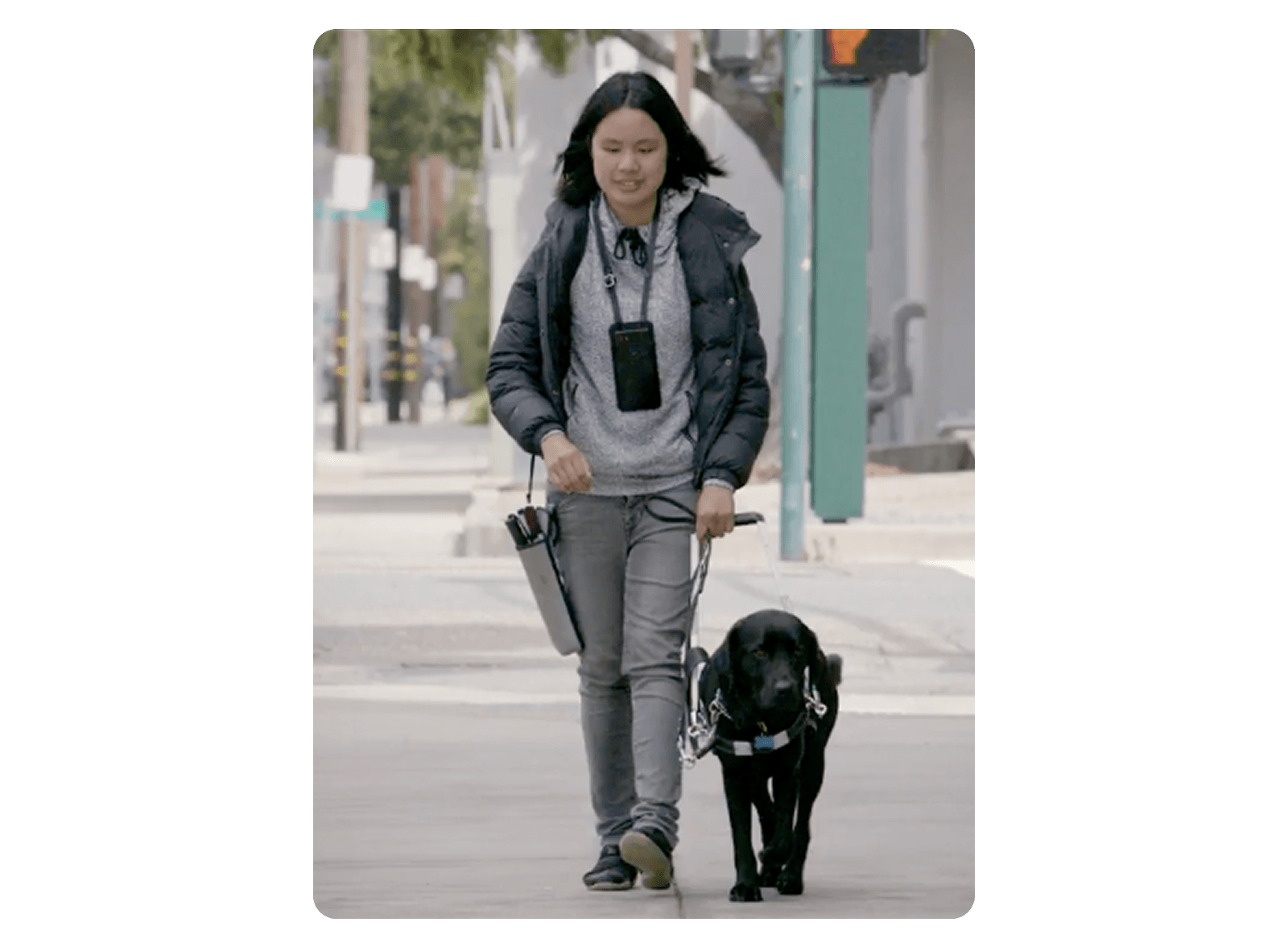 Users existing tools to navigate the environment may include long canes and guide dogs, which occupy the use of both hands most of the time while walking.
Research
- Existing foundational research highlighted daily life tasks people who are blind would find the most helpful.
- Learn new places (Think a bathroom at a friend’s home or a hotel room.)
- Identify packaged and canned foods
- Read text in documents
- Engaged in conversations with people from Be my eyes (Service that connects people needing sighted support with volunteers through live video) who shared with us the most demanded tasks volunteers were asked to help with on their calls.
- Improved the usability of the prototype for a diary study to get better feedback on Lookout’s usefulness.
Ideation
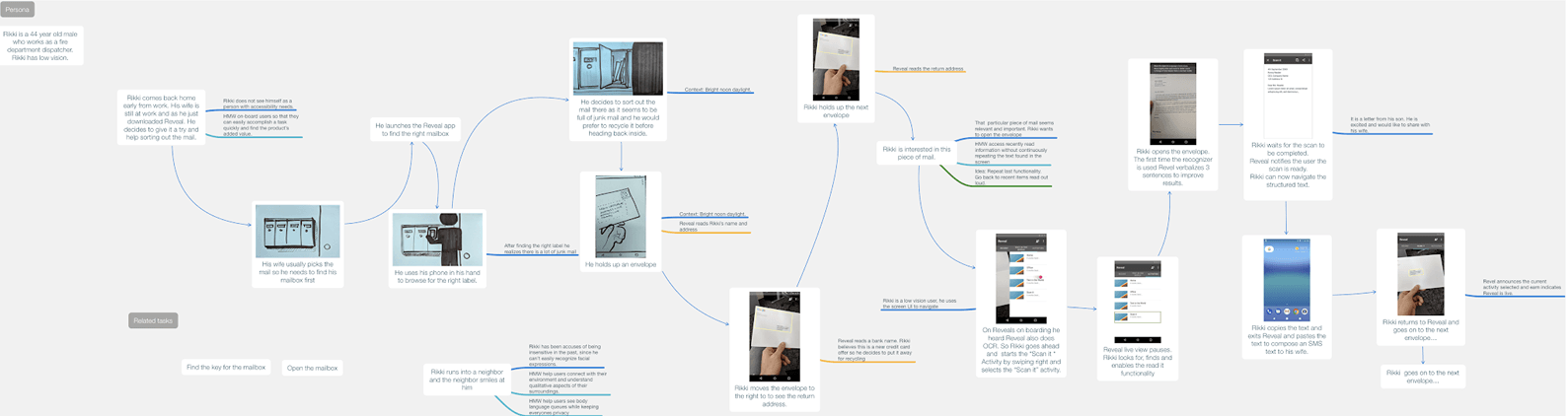 Above, a user journey map of a person sorting mail, used to expand the team’s understanding of the user’s goal beyond reading text.
User journey maps
Developed user journey maps and storyboards to visualize daily activities where people reported reading text would be the most useful to them, to identify tasks where Lookout could be tested.
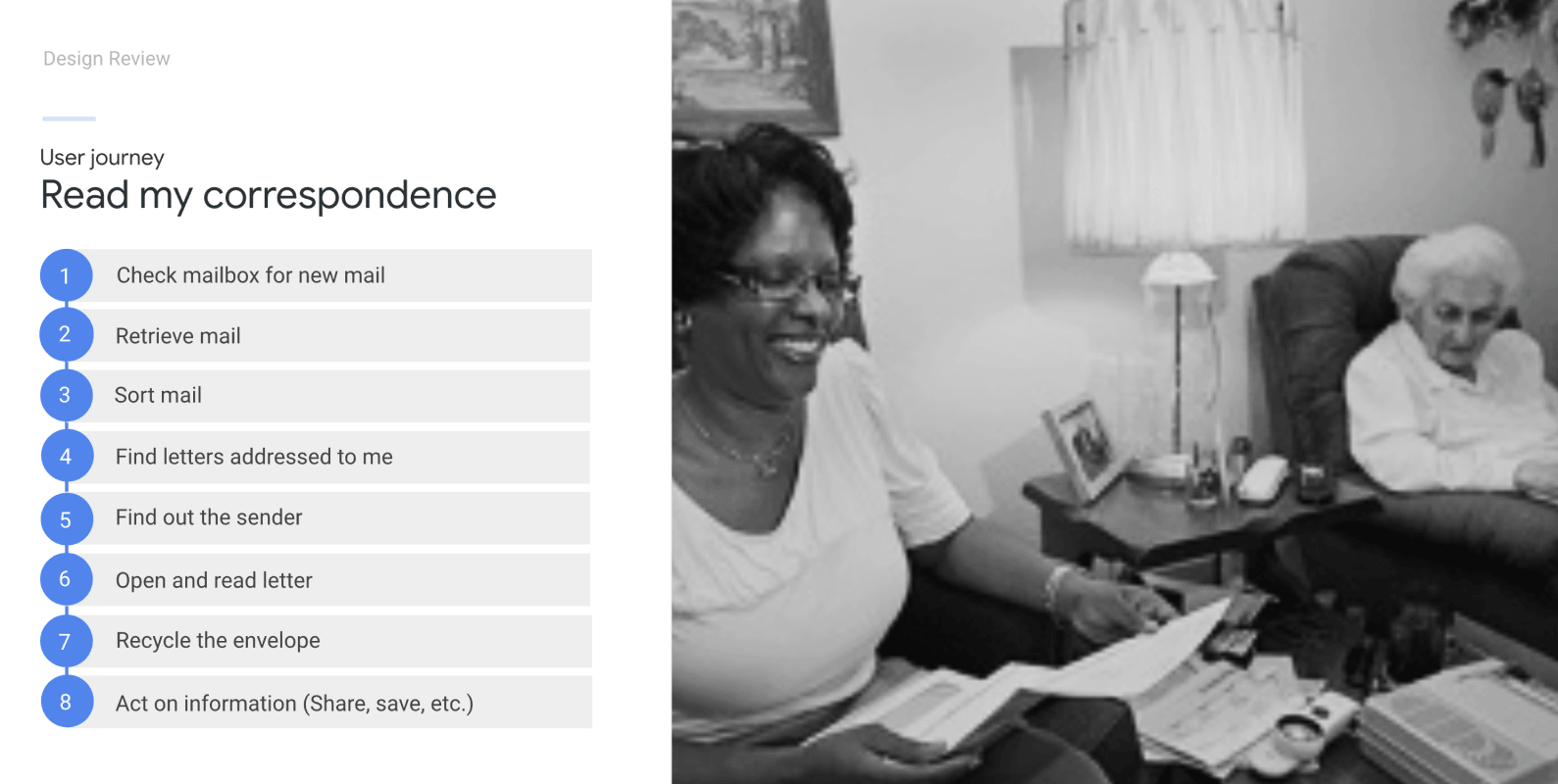 A person assists an older adult read and sort their mail.
Tasks
Identified sorting mail as a key opportunity, people would find it helpful to sort out mail addresses for them independently.
Features
1. Sort mail and read text
Problem
- Teach users who are blind how to scan a document. This involves framing the document and keeping the device steady long enough for the camera to find a steady frame.
Solutions
- Experimented with instructions that guided users to use different strategies to move the camera above a document using various patterns in order to capture all text on a page.
- Prototyped different ideas to accommodate for technology limitations.
- Explored solutions where humans and interfaces could meet half way by leveraging and balancing their strengths.
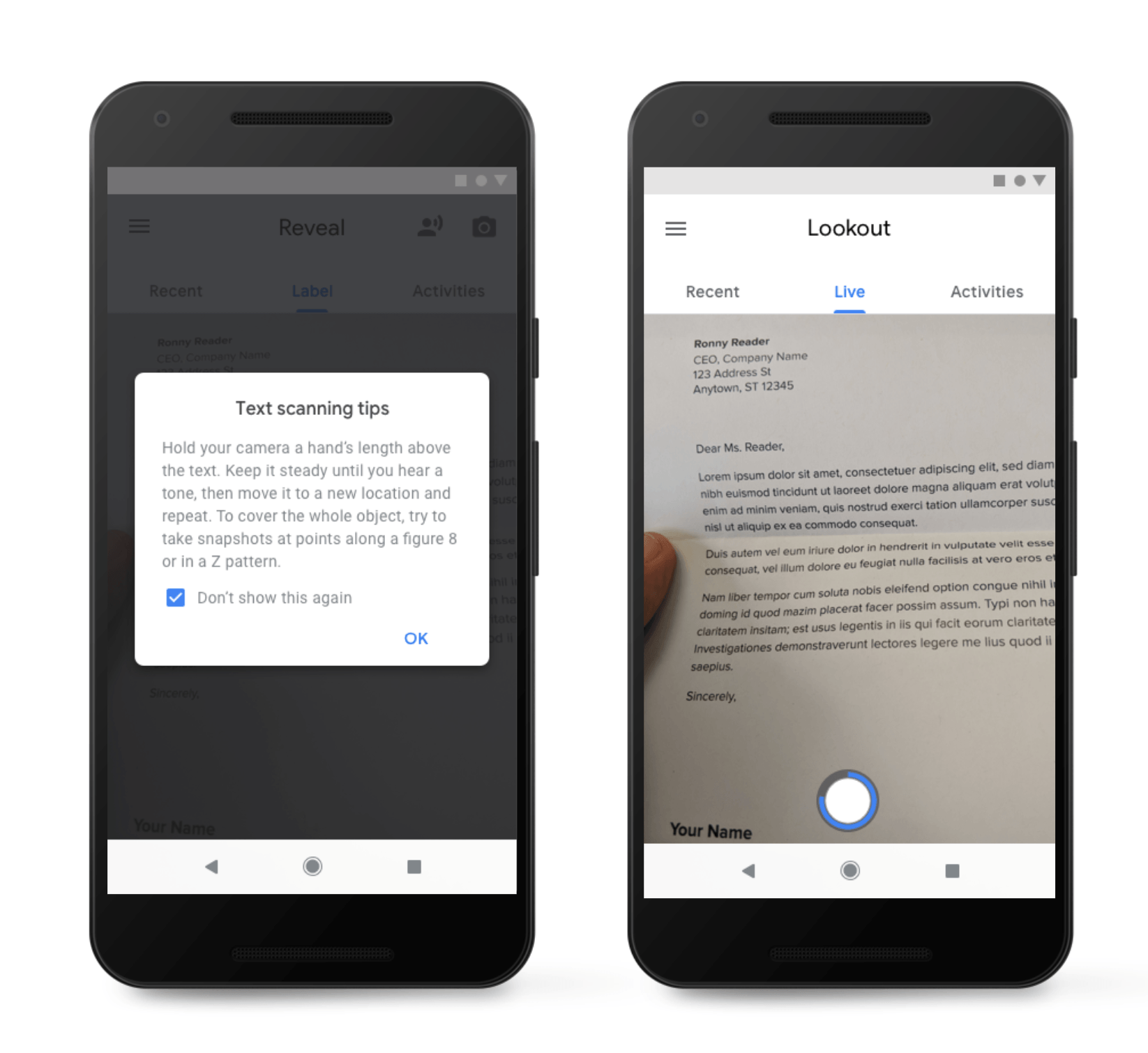 Experimented with instructions and strategies combining physical patterns like using a figure eight and providing auditory cues as edges were detected.
2. Identify packaged and canned foods
Experts that teach living skills at the Light House for the Blind in San Francisco explained to us the importance of labeling of packaged foods. This job is very time-consuming for people who are blind. The ability to confirm the flavor or contents of cans of soup or soda from the pantry or fridge, especially when not at home, could significantly provide confidence for individuals to do this task without asking others for help.
During the study, I learned more about strategies participants who are blind use to learn about and navigate the environment, how they manipulated their phone, and the role the screenreader and the app played to support the completion of those tasks.
Videos from the users point of view helped understand what went wrong when users tried to find out what snack they picked from their purse. Shared examples like these where the image the camera captured was blurred helped the team understand what was going on and allowed us to look for technical, interaction and physical solutions.
Problem
- People who are blind find it difficult to point the camera to frame an object without auditory support. Imagine taking a selfie without a live feed.
- The app needed users to manipulate the object until it could locate the barcode.
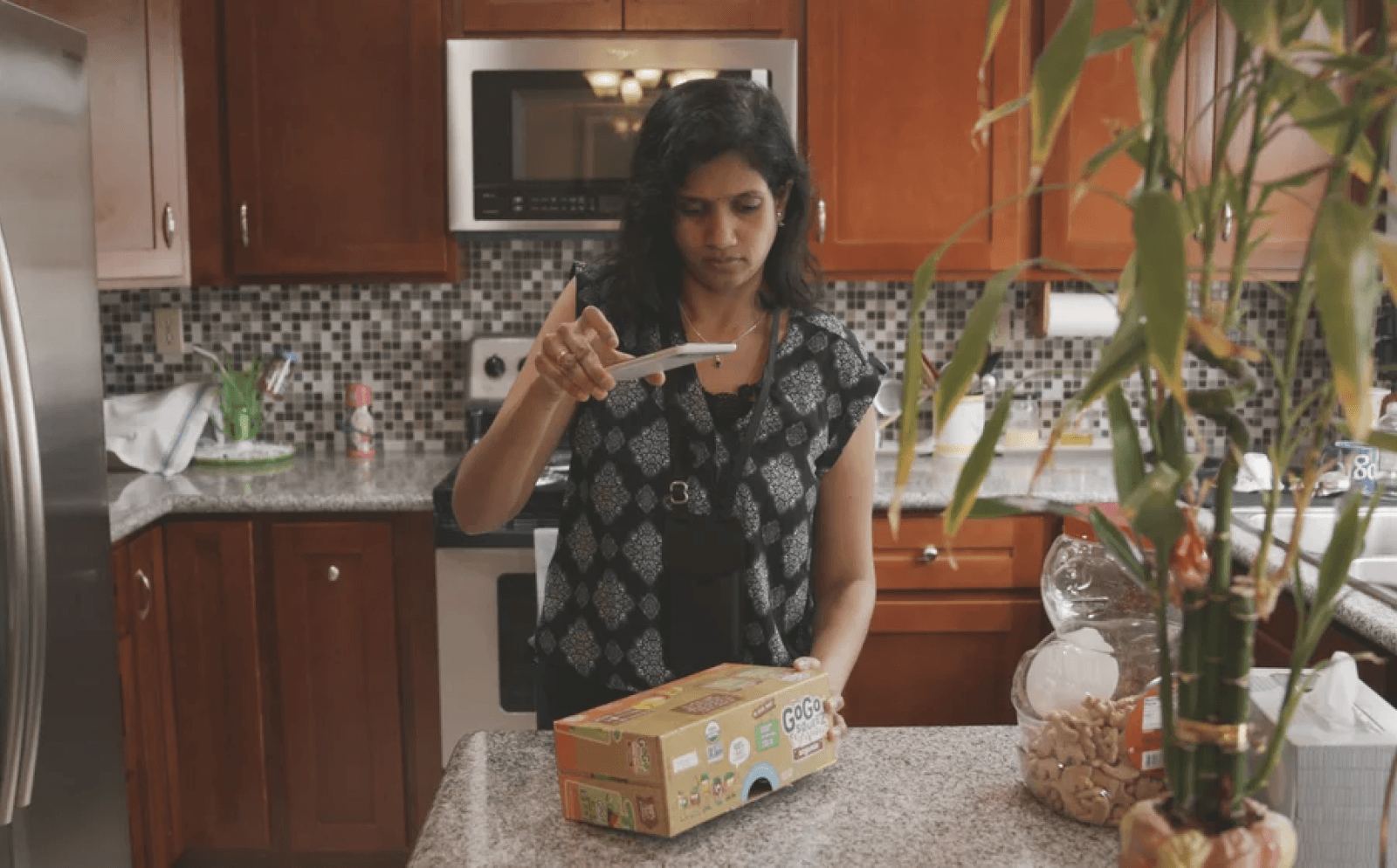 Jyotsna using Lookout to read the label of packaged food in the kitchen.
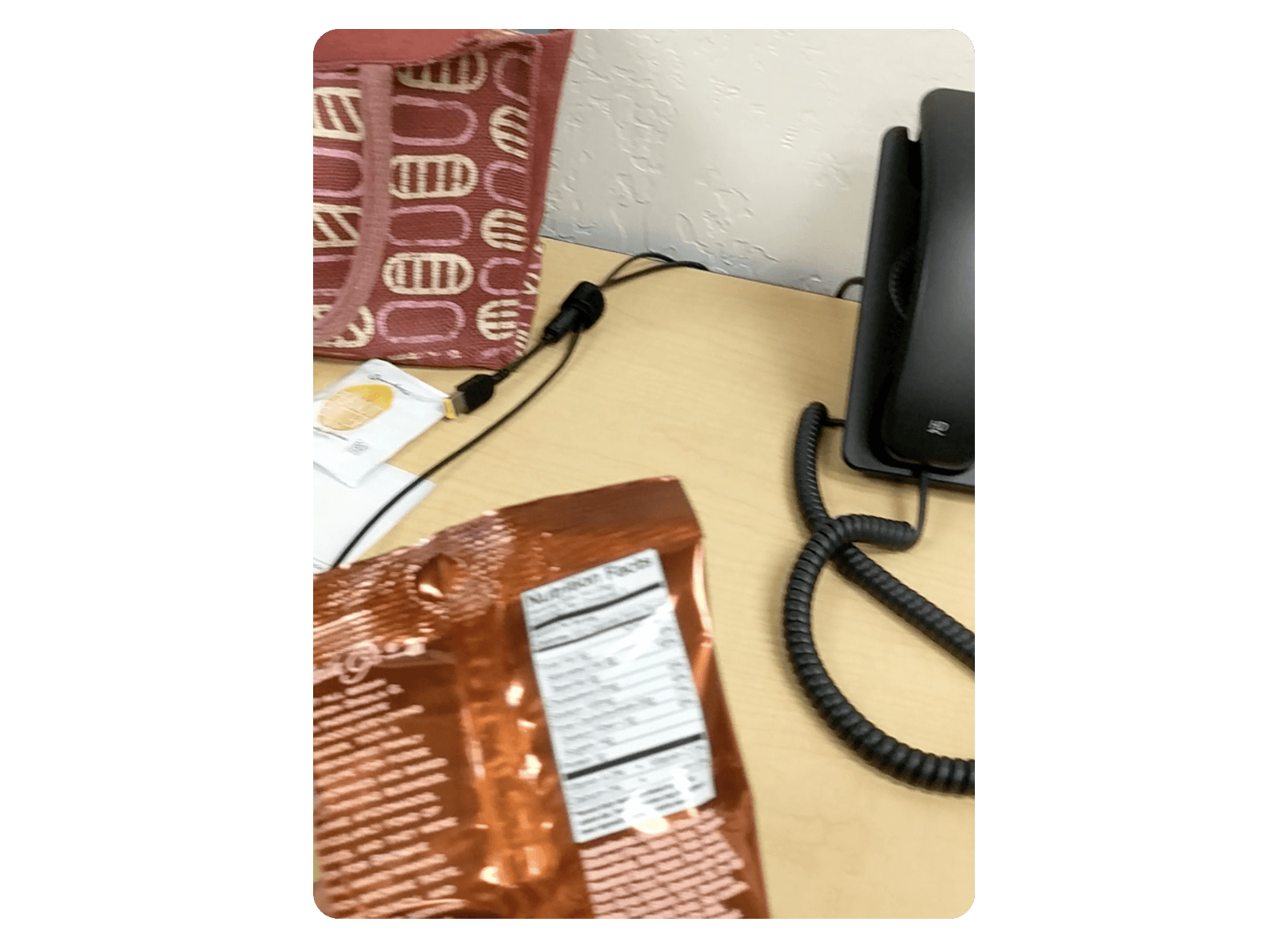 Screenshot of video feed of person aiming at a bag of snacks appears blurry and out of the camera making it hard for Lookout to read text.
Solutions
- Instructions and auditory feedback to help users aim.
- Recommendations to explore reading barcodes live.
3. Describe items of importance
Learn Places: Describe what the camera sees in a way that is useful and relevant for a person to understand a new place.
Problem
- The app also verbalizes things in the environment.
- People hear a continuous stream of objects recognized without hierarchy or learn of irrelevant objects. Knowing what is relevant or important to users in the moment.
Solutions
- Developed a hierarchy framework based on distance and placement to prioritize speaking objects in surfaces within reach first.
- Explored a conversational experience.
- Collaborated with soft goods designer to design lanyards to hold devices for a passive auditory interface featured at the booth at Google I/O.
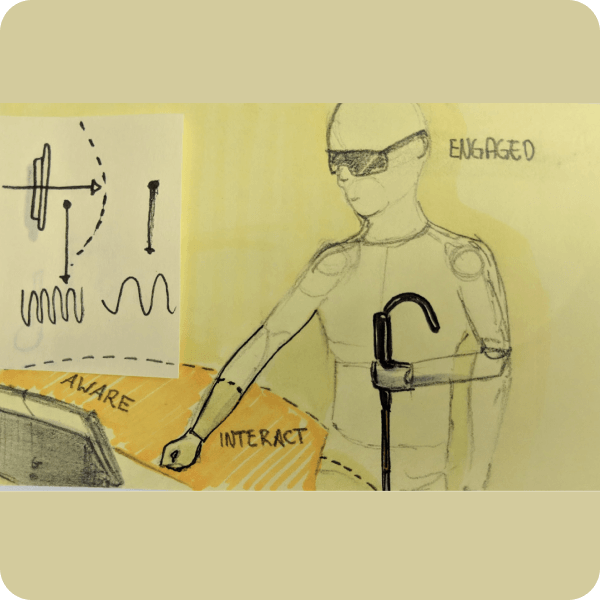
Proximity hierarchy
Developed auditory experience and explored conversational interfaces resulting in a hierarchy framework based on distance and placement of objects to weigh object importance based on factors like position on a surface versus objects at a distance in the room.

Auditory depth of field
Lookout’s auditory experience prioritizes objects of importance within reach, similar to a photograph using shallow depth of field where selective focus helps draw the viewer’s attention to the objects that matter.
4. Hands-free and gesture controls
Lookout’s Multimodal Controls Overview.
- Interface with Physical Auditory and Digital components.
- Designed hands-free interactions to support users in accomplishing daily tasks that involve detecting text, objects, US currency, and barcodes.
- I experimented with novel interaction design patterns leveraging the device hardware sensors to assist users in aiming the camera.
- Physical interaction pattern for wearable experience: knock the device to start, cover the camera to stop the app for a hands-free experience.
- Explored conversational experiences to help people understand places.
- Reconciled novel gestures with familiar patterns used in Talkback (Android’s screenreader).
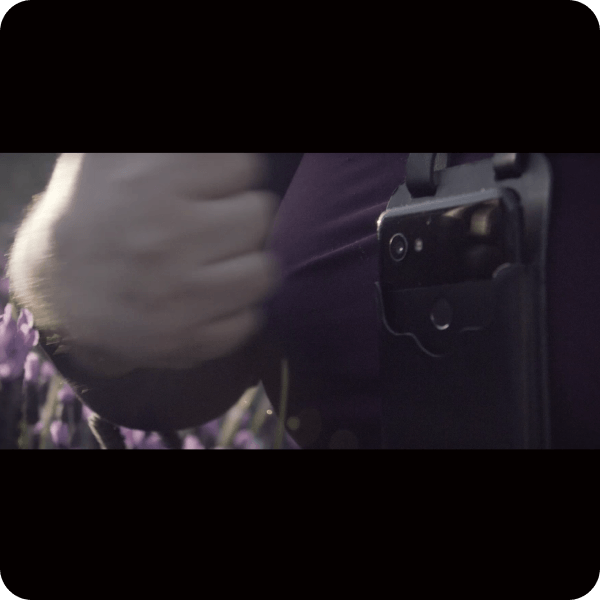
A. Knock twice to pause
Close-up picture of a person’s hand knocking on the camera hanging from the lanyard to pause the app.
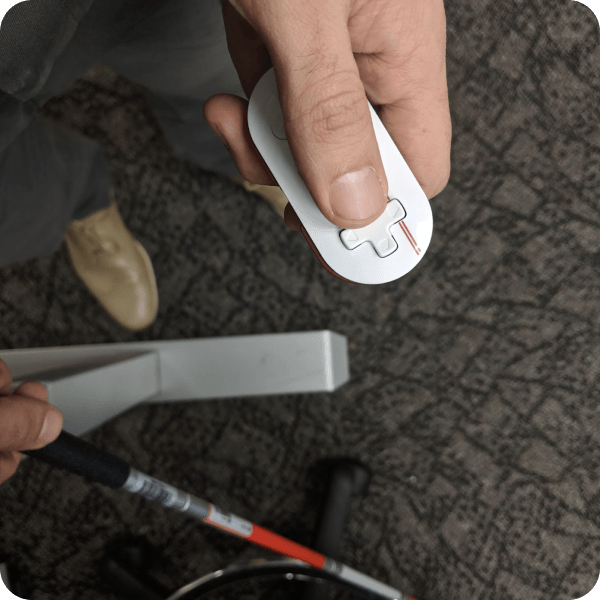
B. Physical cane remote
Lookout support for external Bluetooth devices.
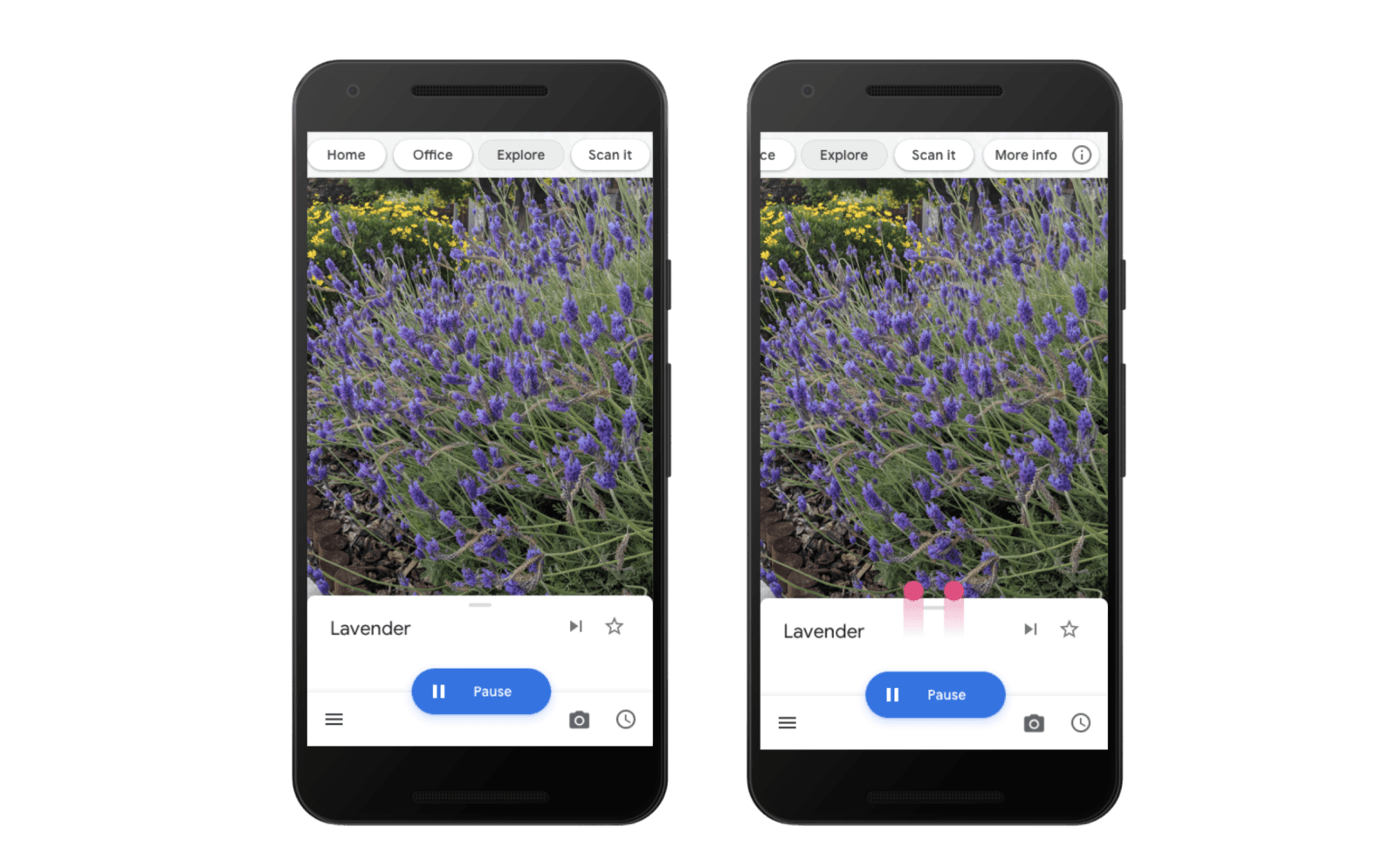
C. Gestural interface
Designed gestures that would be consistent regardless of the input method used to control Lookout. These include visual gestures on the touchscreen, screenreader gestures, the fingerprint sensor in the back of Pixel devices, and external Bluetooth controllers.
Used gestural UI patterns that responded to hardware input. Swiping up on the screen will tell more about an object. The physical up gesture functionality in the back of the phone was consistent.
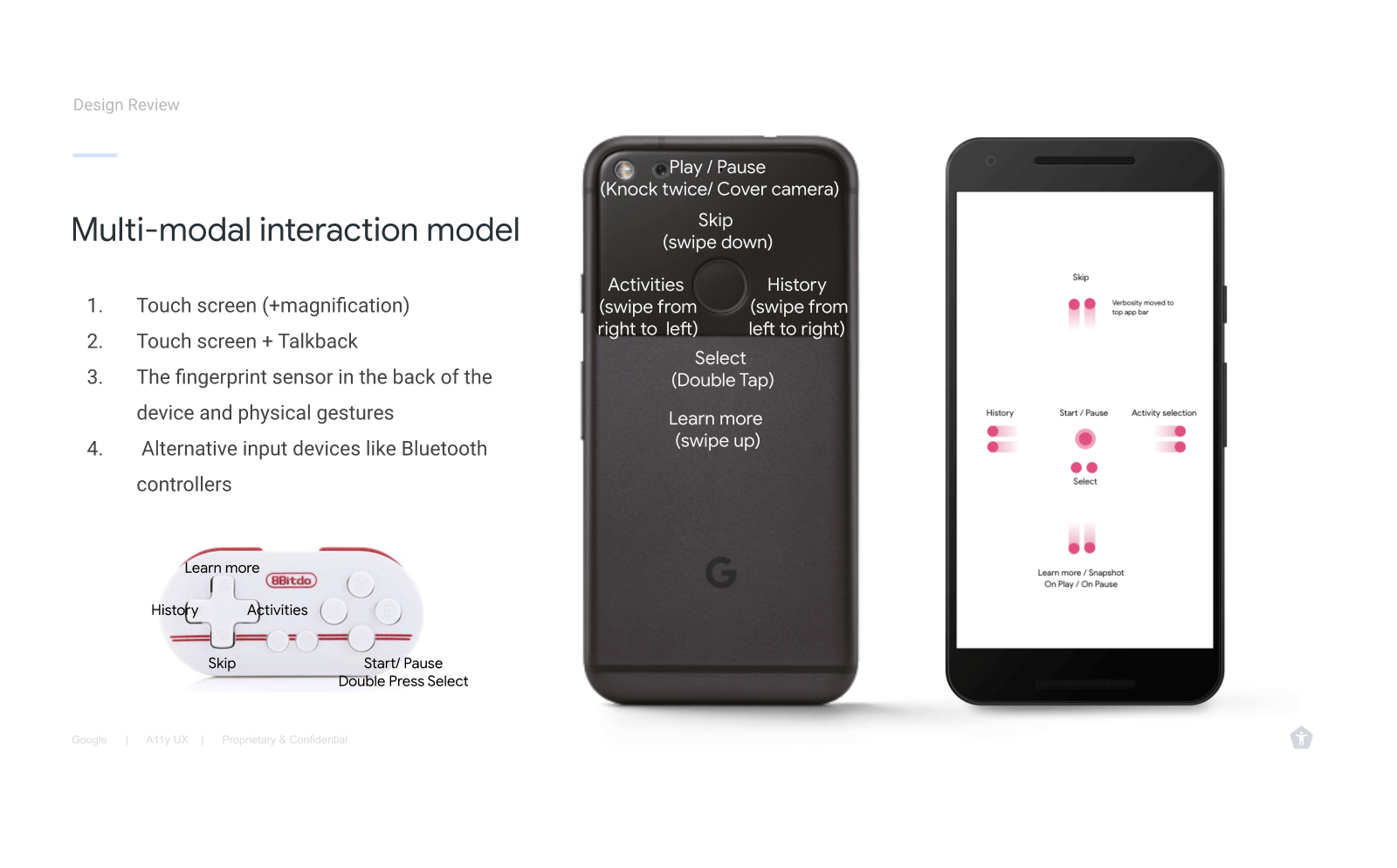
D. Interoperability of digital and physical controls
Interoperability exercise to understand the mapping of actions across inputs like the phone’s proximity sensor and other external hardware.
Validation results
Hypothesis: Hands-free operation will increase users confidence.
- Lookout’s form factor is also not ideal for the app’s most exciting use cases. Despite receiving a lanyard, few testers used it regularly; they felt more comfortable holding their phones. Users preferred to manipulate the phone with their hands, which provided them with a greater sense of control.
- Users needed to intervene a lot and could not rely on the app verbalizing what is important or relevant only. Lookout at the time was more useful when descriptions of objects happened on demand versus users placing objects in front of the camera worn.
- After competitive analysis, it is recommended to focus on identifying objects, reading text, and operating home appliances.
- Recommendation to create a way for users to have feedback easily repeated.
Visual design
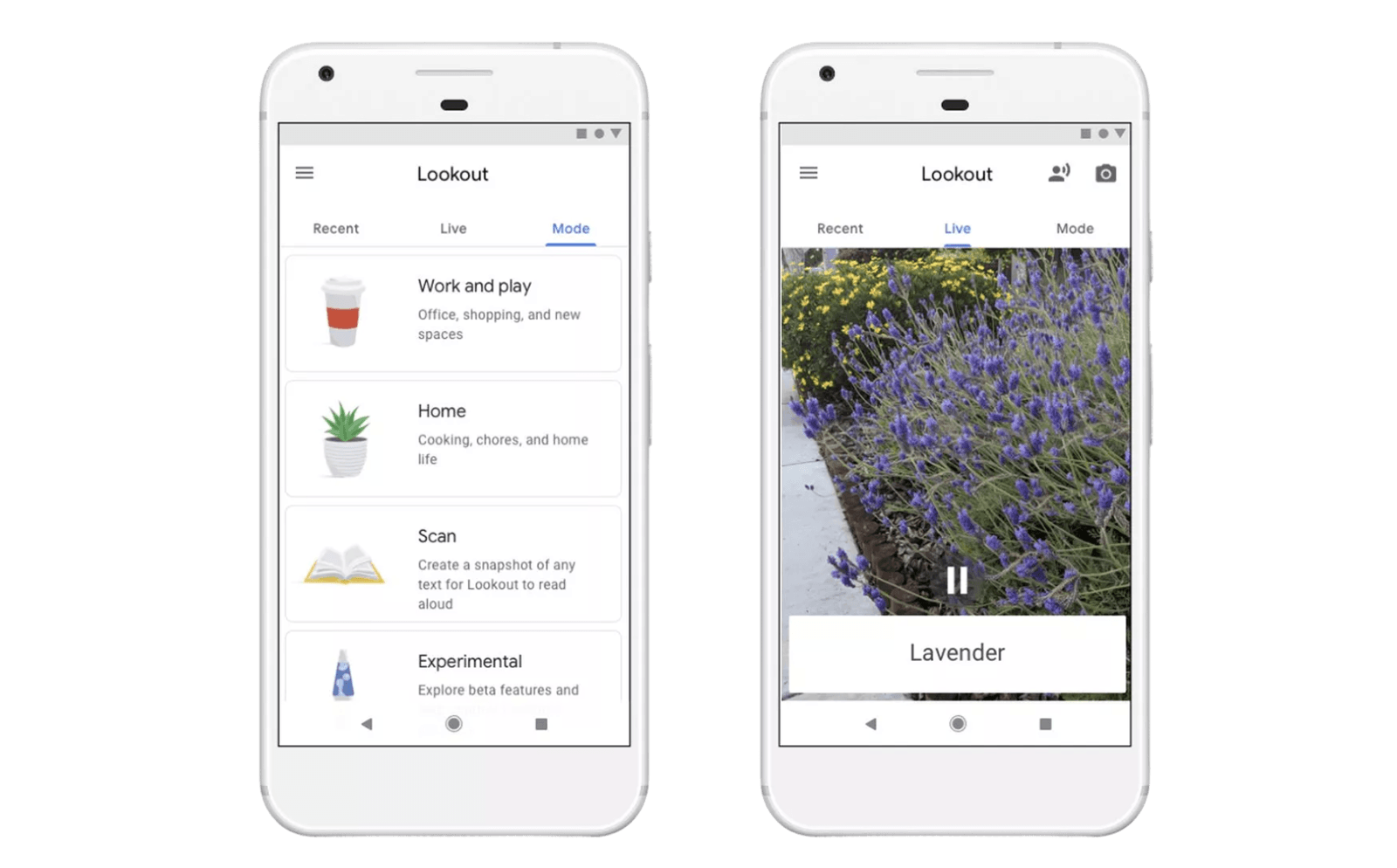 Adopted use of standard Material design components and created and lead the creation of official illustrations for people with low vision to identify modes by shape and color.
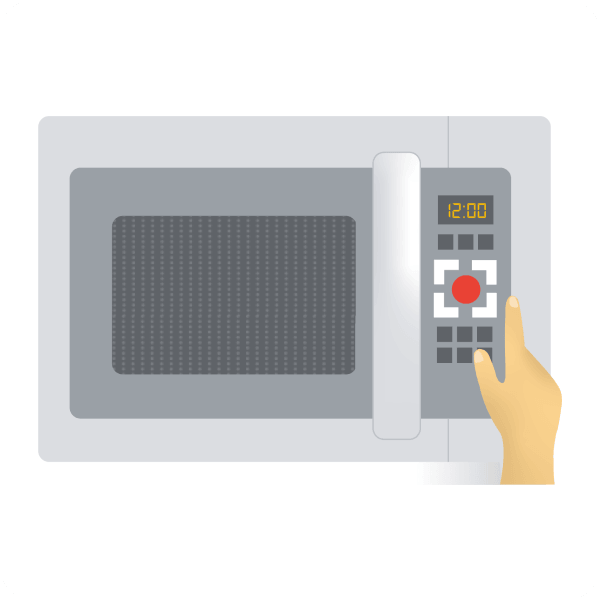 I created a microwave illustration used for the mode to assist the operation of home appliances.
 Pictogram version of the mode used in menus and settings.
Outcomes & Impact
- Press at Google I/O 2018 — Positive reactions during the launch announcement resulting on the first 0 to 1 product for the team.
- Trusted Testers approved — Prototype was well received among early Trusted Testers leading to its succesful launch.
- 100K+ downloads in year one — Received positive reviews in the Play Store.