Voice Access
Redesigning Android's voice control assistive technology
Download Voice Access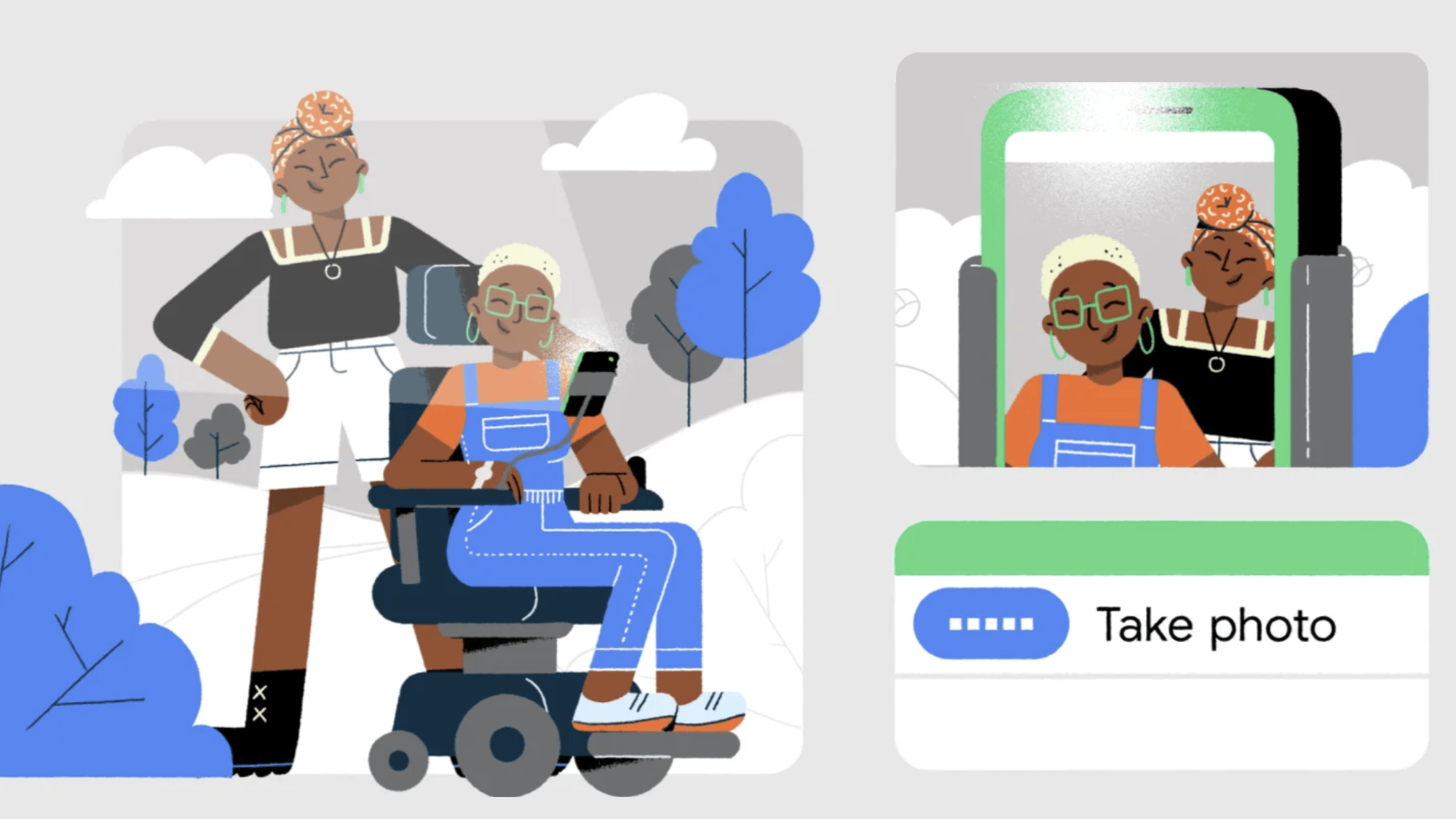
Project Overview
🚀 What it is
Voice Access lets anyone who has difficulty using a touchscreen control their Android device entirely by voice.
🔍 Objective
Enable people with limited dexterity to complete everyday tasks, like navigating and editing text, by voice alone. Even in noisy environments.
✅ What made it different
Few designers get to build a voice interaction system from scratch, especially one this robust. Voice Access had to work seamlessly on any Android phone, side by side with Google Assistant, while staying completely offline and tailored to the unique needs of voice-first users.
Contributions
Led UX design while contributing hands-on to interaction and product design across Android's complex system UI and accessibility settings.
Applied deep knowledge in voice control, multimodal interaction, motor disability accessibility, onboarding flows, system design, and computer vision and automation use cases.
Co-created with people with different motor disabilities in collaboration with Google Research and 40+ cross-functional contributors, including volunteer designers, to prototype motion tutorials and text-editing concepts.
Organized and led sprints to redesign core interaction patterns like scrolling, entering passwords, and education.
Partnered with product manager, engineering leads, marketing and agencies to shape inclusive narratives for launch.
Led the rebrand to Material Design, delivered interactive tutorials and Play Store highlights aligned with Android launch standards.
The opportunity
Access to advanced technologies like screen understanding and automation offered new possibilities to tap or gesture on any icon, button or screen location even on elements without visible or accessibility labels, offering precise control on any app or website.
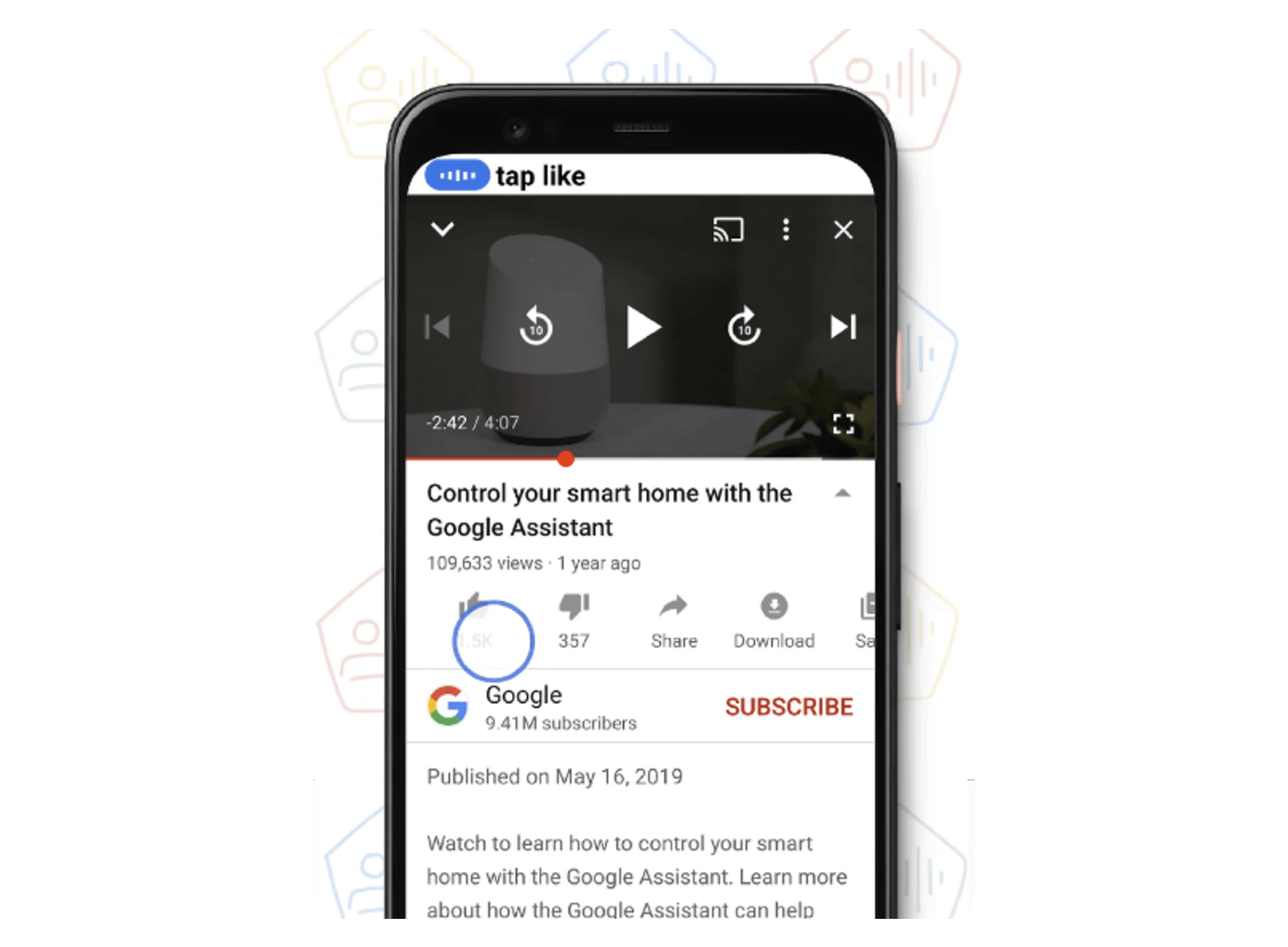 Icon recognition - The command “tap like” moves the cursor from Voice Access to a thumbs up icon in YouTube.
Problem
Voice Access and Google Assistant were very different voice control systems, both developed by Google, with overlapping commands and very similar user interfaces. This confused users to the point where—especially for those with limited dexterity or a motor disability—many stopped using voice to control their mobile devices altogether.
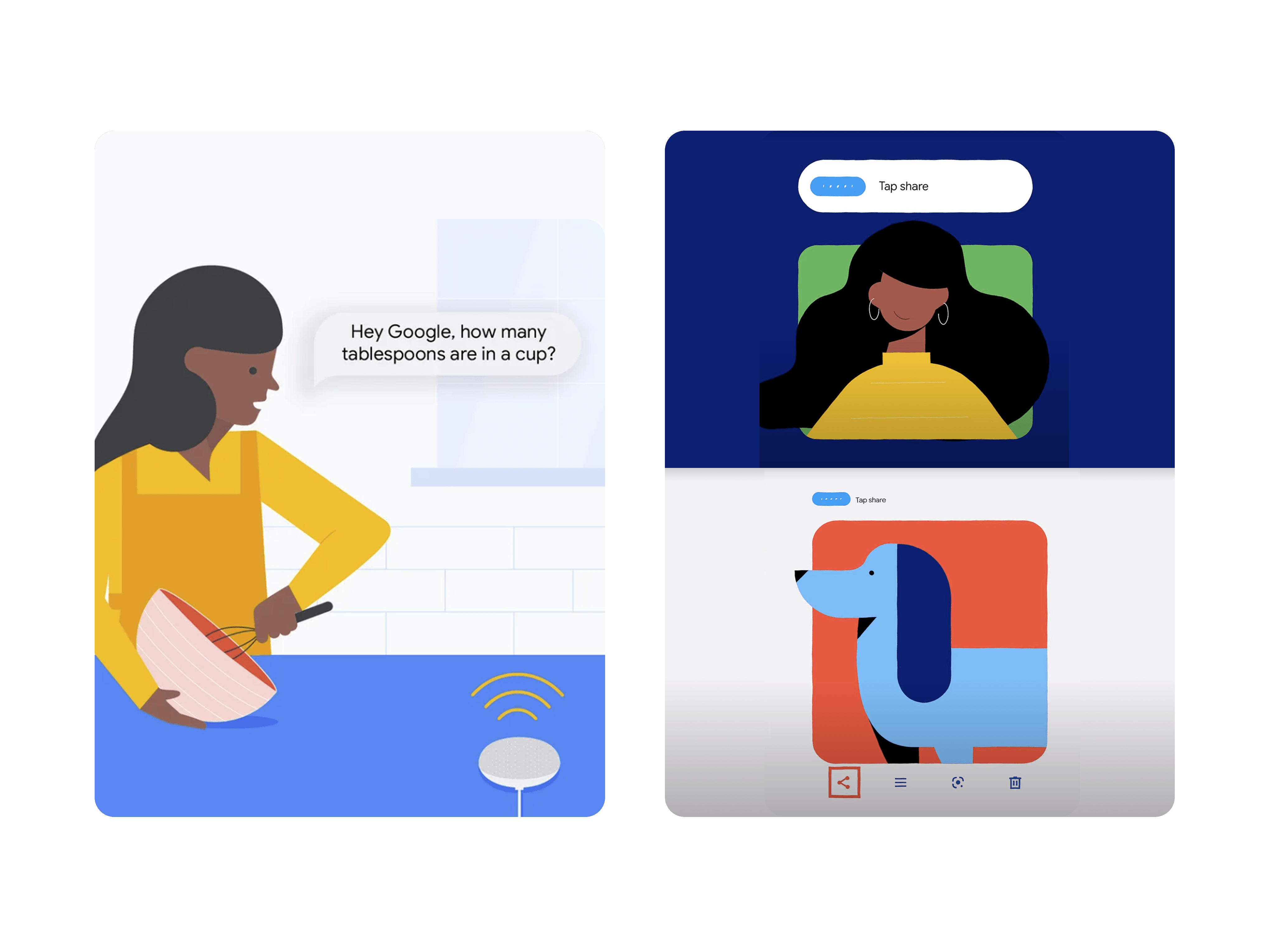 Left: Google Assistant conversational query—“Hey Google, how many tablespoons are in a cup?” Right: Voice Access command—“tap share” to activate an unlabeled share icon.
For many users, that wasn’t an option. They had relied on desktop dictation systems like Dragon NaturallySpeaking for years and needed a solution for their phones too. Not only did they have to learn new commands and trust that they would work, but they also had to unlearn commands that didn’t. Some had memorized workarounds, like using “cut” to delete text instead of replacing it.
 Desktop dictation power users had to master two extra voice interfaces, one for smart-home controls and one for phone use.
Why it mattered
The challenge was to rebuild trust in voice as a reliable way to use a phone, especially at a time when voice systems didn’t have the best reputation. In contrast, we were observing Voice Access text to speech and navigation tasks performed with accuracy never seen before.
We wanted to show users that a small set of clear, powerful commands could go a long way. At the same time, everything had to work alongside Google Assistant, which already handled many everyday tasks through conversation. That style felt easier for some because it required remembering fewer commands.
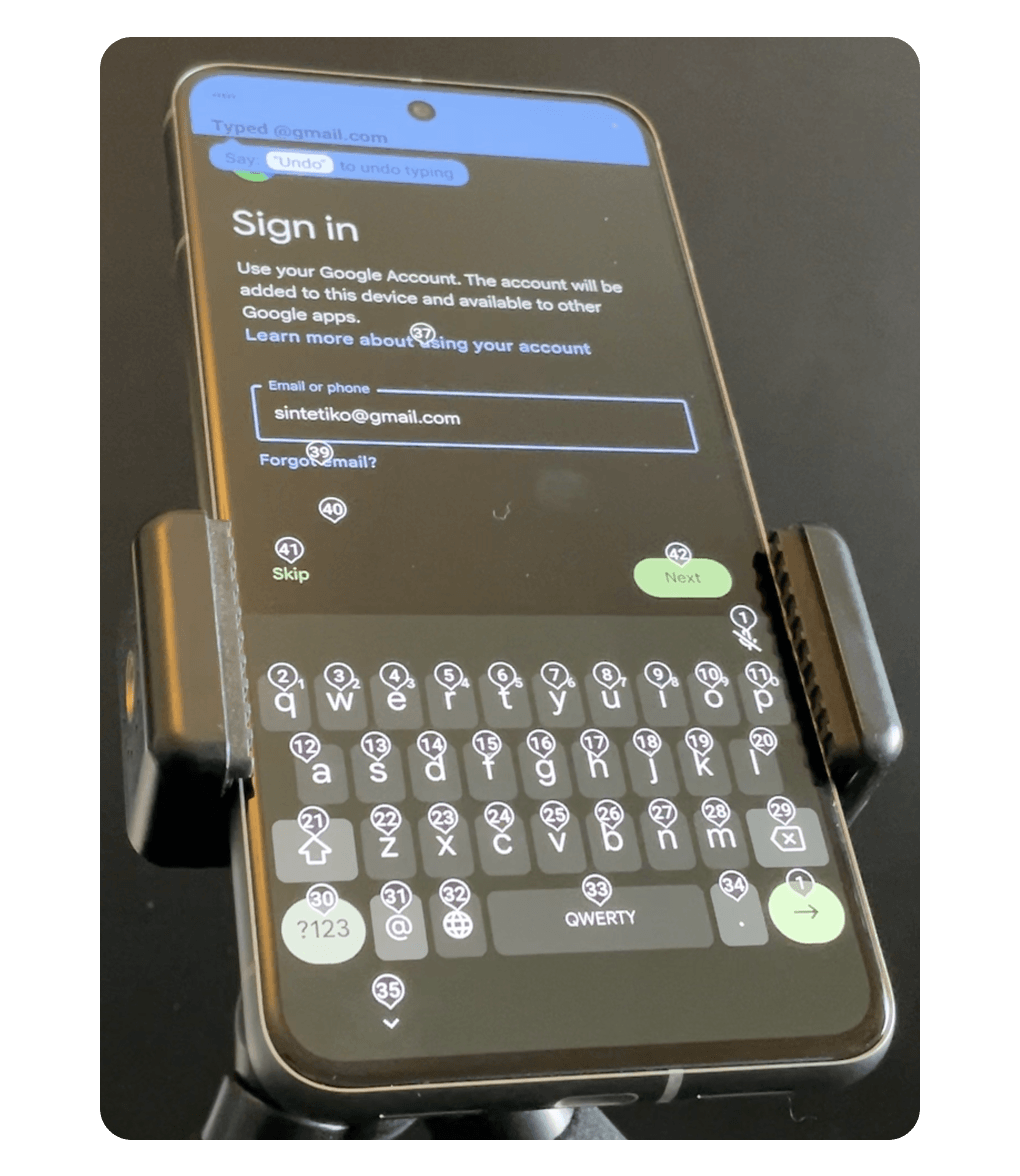 Dictation of emails or passwords was possible with dictation alone, saving users the significant time involved in speaking the number above each letter on the keyboard one at a time.
Understanding user needs
These insights come from a series of interviews led by our UX researcher. To make the patterns tangible, I synthesized them into a single persona: Sarah.
Meet Sarah
She’s a stand-up comedian who riffs on ideas fast. With limited dexterity, she depends on voice to search YouTube for clips and references without losing her flow.
 Sarah’s robotic arm holds her phone so she can take a selfie with a friend.
What Sarah needs from voice control
- Stay in flow: less interruptions
- Spend less energy: fewer corrections
- Think less about the interface: clear system status and feedback
Sarah’s user journey shows how critical it is to minimize effort, reduce errors, and streamline multi-step tasks so voice can truly be the primary way to use a phone.
My role: I distilled interview findings into these three problems and mapped Sarah’s journey to guide and implement into the design.
“Having to correct errors often while dictating breaks your train of thought”
User Interface Redesign
The redesign focused on making the voice transcription quick and persistent to differentiate it from less critical system status updates shown in a different color in the status bar. This way, users could confirm that their commands were accurately understood while quickly glancing at a cursor to see that Voice Access was working smoothly. This approach not only made it easier for users to supervise it, but also to catch any errors early, building a greater sense of trust and efficiency in using Voice Access.
Voice Access transcribing the command “search for cute puppies,” and the cursor actively navigating and entering the text.
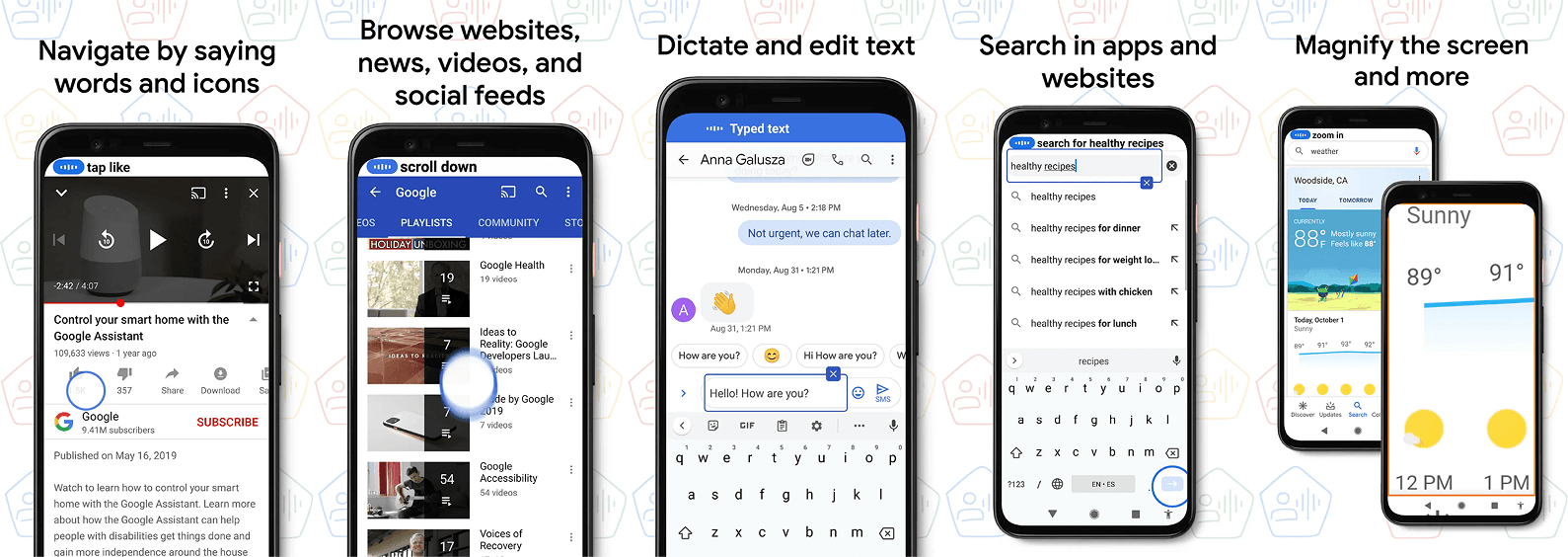 I designed the assets for the Play Store gallery highlighting user benefits and localized them to the supported 5 languages.
“I'm in love with the blue circle; it's showing me what my voice is doing.”
Solutions
Building on our redesigned user interface and the key insights we gathered about our users’ needs, we introduced a set of thoughtful solutions designed to make voice control more intuitive, efficient, and enjoyable. These features not only reduce cognitive load but also empower users to stay in their creative flow. Let’s explore how these solutions come together to create a seamless and empowering experience.
1. Most can be done with basic commands
Users who rely on voice to use their phone prefer efficient, command-based interfaces over natural language. Voice Access commands redesign offers multiple similar commands for the same action, reducing the need for users to learn or memorize specific technical commands. For example, users can now say “scroll down” or “swipe up” instead of the less intuitive “scroll forward” that many previously missed.
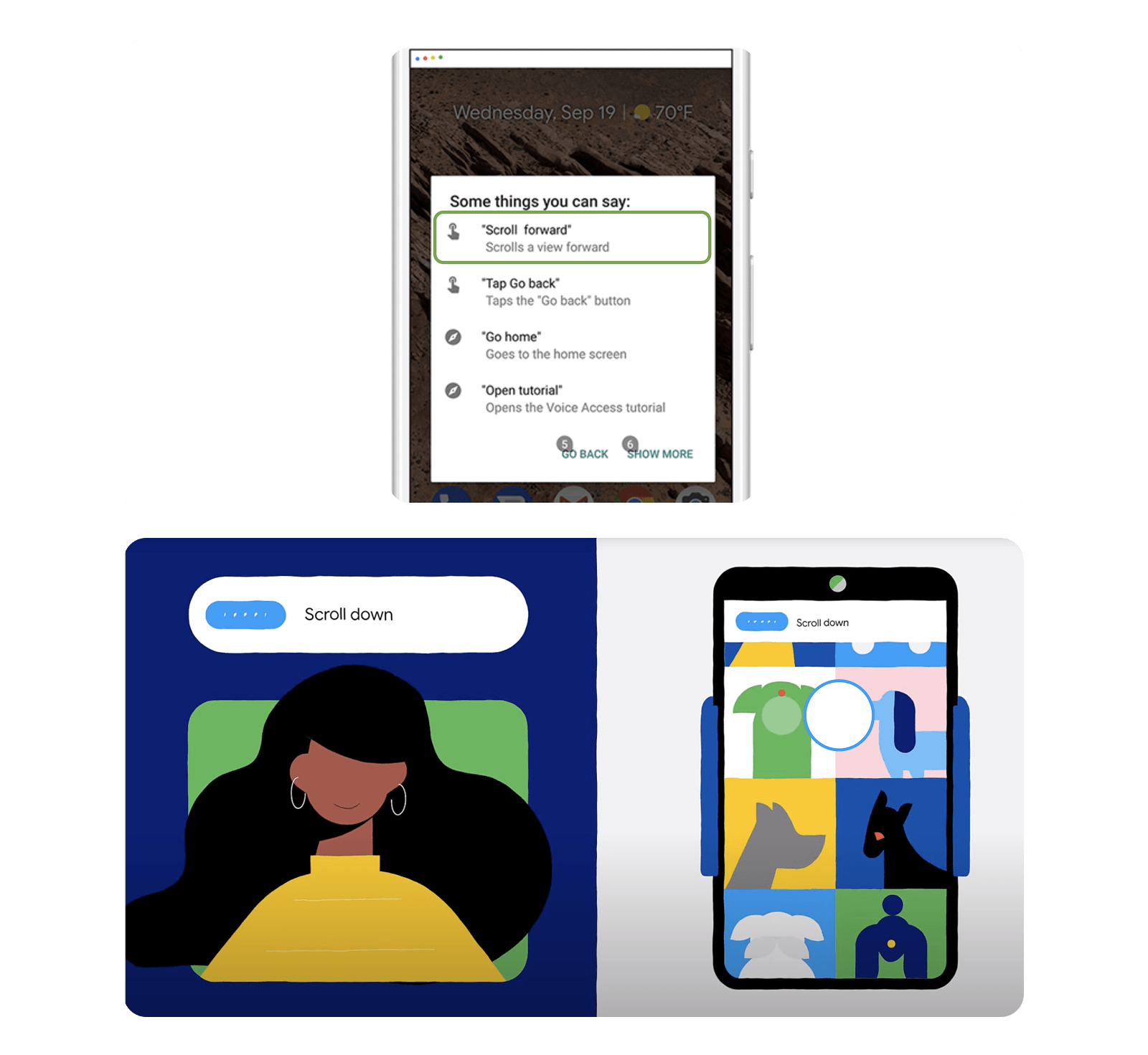 New users can easily navigate their phones using simple commands like “tap,” “open,” “scroll,” “back,” and “go home.” Power users, who prefer speaking number labels for on-screen elements for more efficient navigation, can continue to do so. Both interaction modes remain supported.
2. Help is contextual
Contextual help offers screen-specific commands, aiding users when stuck and promoting independent exploration, which reduces abandonment. This method proved more effective than onboarding tutorials, as participants preferred learning while facing task-completion challenges with a goal in mind.
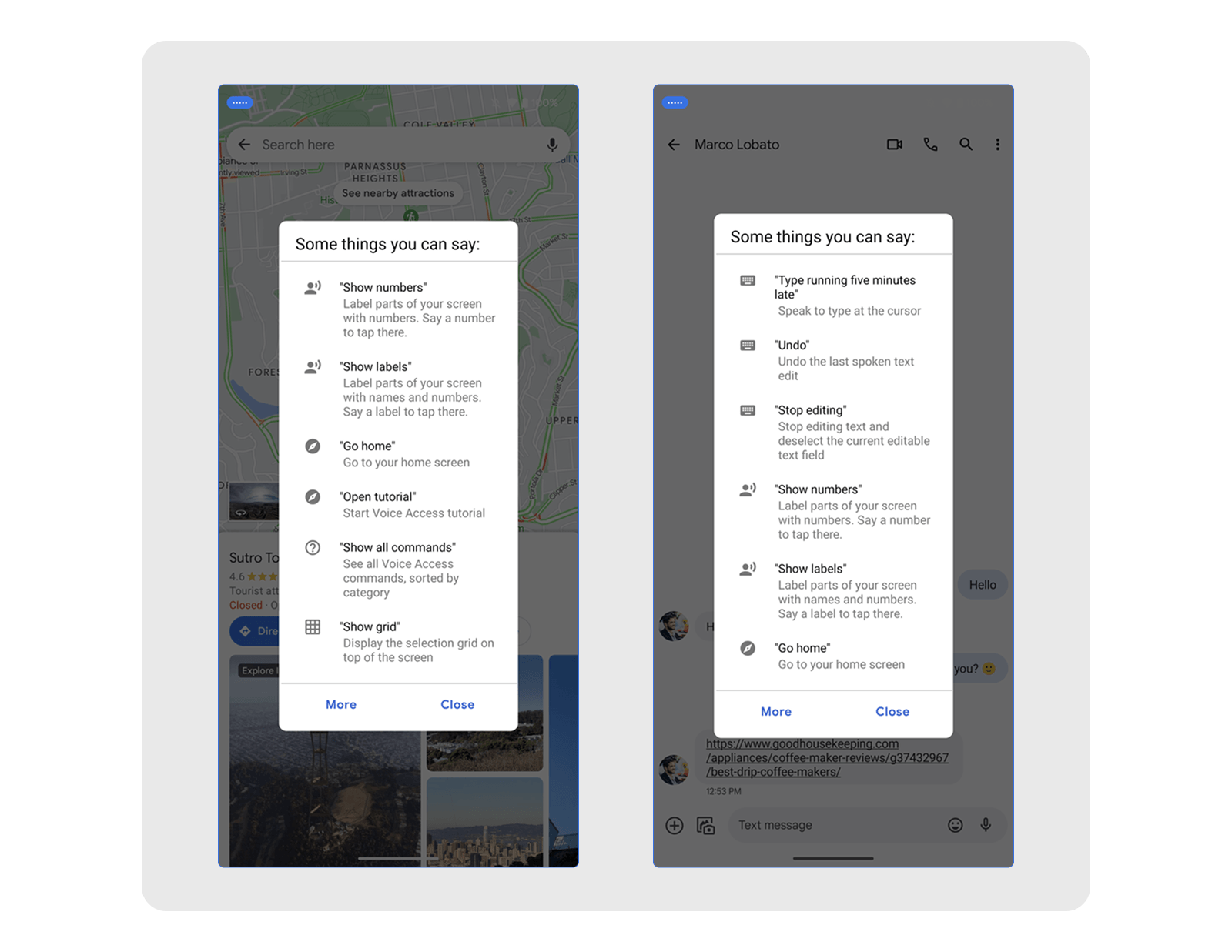 Contextual help adapts to the screen. In Google Maps it surfaces map commands; in Messages and other text-input screens it surfaces dictation and text-editing commands.
3. Learning moments are timely
Gains on efficiency go a long way; they reduce fatigue and help people get more things done. Users particularly appreciated the immediate suggestions for more efficient commands after completing a task, as these did not interrupt their workflow.
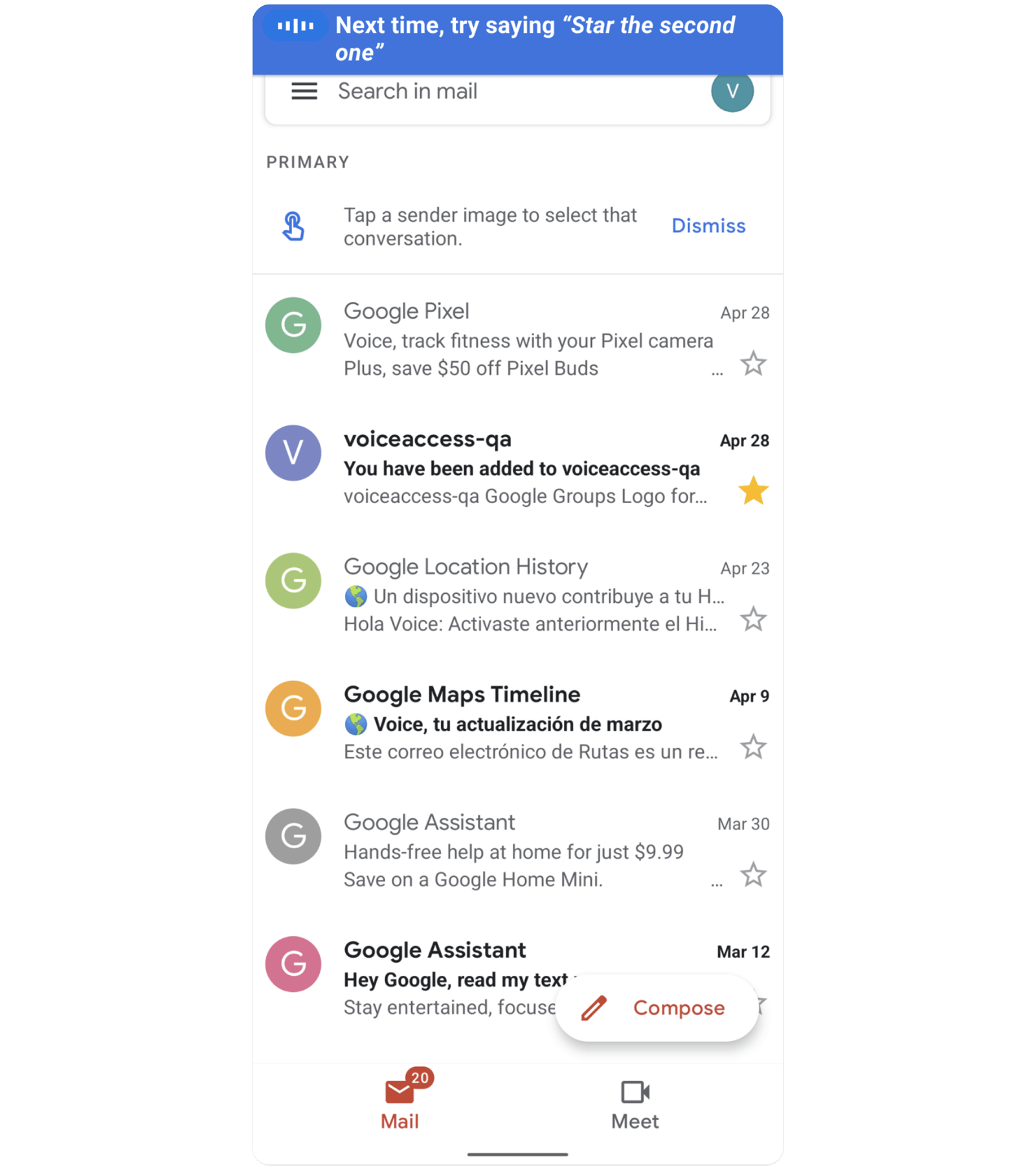 Voice Access suggesting “star the second one” after the user had to speak a number to star an email, requiring extra turns.
4. Sensors help prevent errors
Voice Access minimizes accidental commands and corrections by ignoring commands when users aren’t looking at their phone, especially helpful in noisy environments or during conversations.
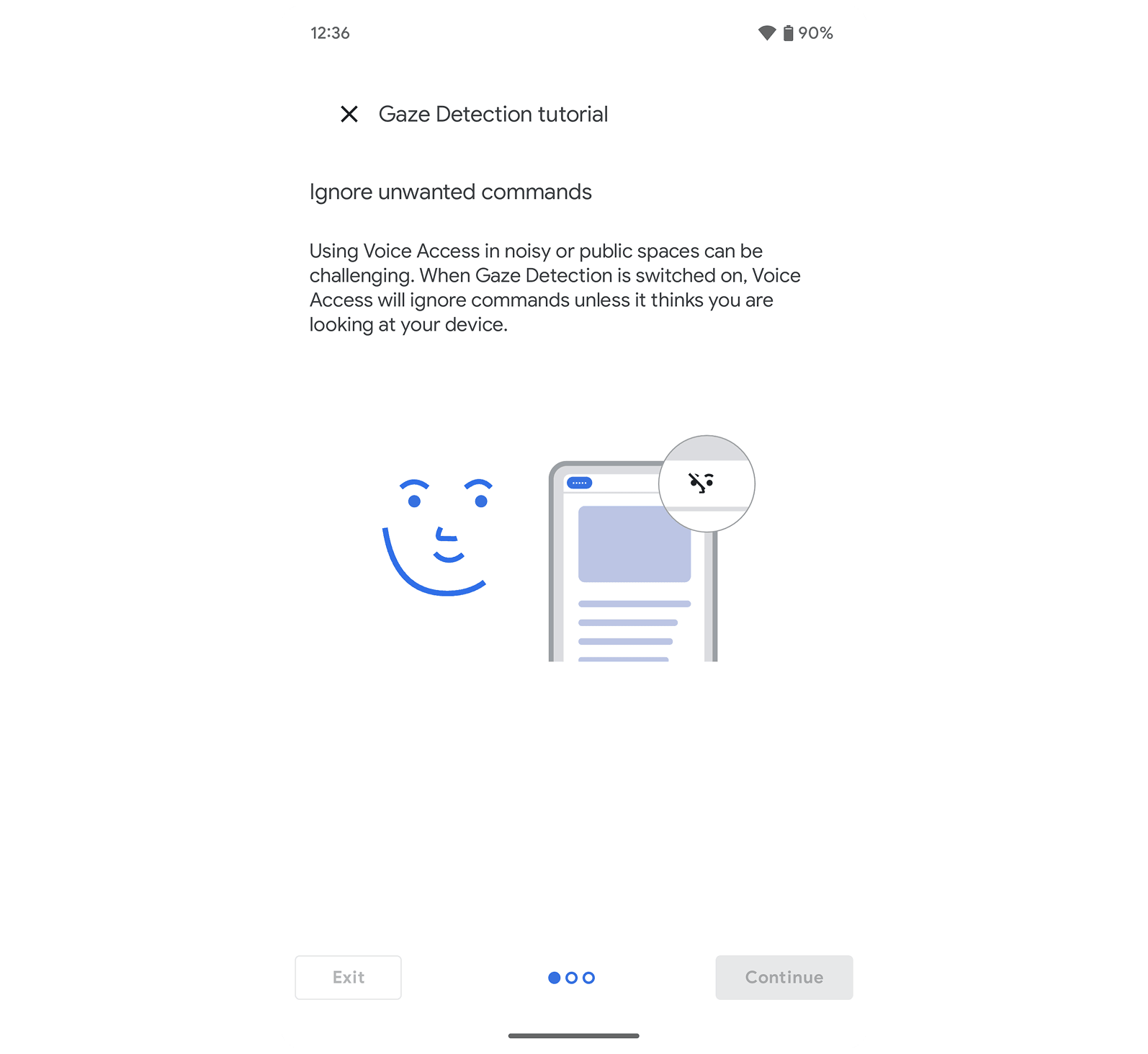 Gaze detection reduces the need to turn on and off the microphone.
Together, these features acted as a scaffold and formed the learning strategy—not just to make help available for error prevention, but for learning and building trust. By combining less technical system feedback, contextual guidance, and well-timed learning moments after each task, we created an experience that feels approachable from day one and continues to support users as they build confidence. This approach laid the foundation for Voice Access to not only coexist with other voice systems, but to stand out as a powerful, accurate, and reliable assistive tool—one that improves with continued use and helps users stay in control.
Outcomes & Impact
“The G Assistant is great now, BUT Voice Access makes it excellent IF you want full voice control over your phone's natural UI…”
Play Store Review - A Google user
- Reduced user abandonment — Dramatically reduced for new installs and first-time use.
- 4.9★ at launch — Surpassed user satisfaction targets, earning over 4 stars and positive Play Store reviews.
- Featured by Popular Science — Recognized in Popular Science's list of 100 greatest innovations of 2020.
- 126K+ video views — Launched with my first instructional storytelling style video.
Project Reflection
Thinking Forward: Designing Interfaces for Supervising AI-Powered Tools
Even as voice interfaces become smarter and more proactive, people still need to feel in control. During testing, users only trusted the system after confirming their commands were heard and completed. That need for clarity and oversight is still central. Whether it's a voice assistant or a ChatGPT AI agent, interfaces that allow for user guidance and supervision continue to shape how we trust and adopt new tools.
I'm excited to keep building in this space. Designing patterns that make AI feel intuitive, reliable, and collaborative is where I bring both curiosity and experience.
If you're working on voice interfaces or AI-powered tools that need thoughtful, user-centered interaction design, I'd love to hear from you. Let's talk about what we could create together.