Introduction: From Curiosity to Concept
I’ve been using the WHOOP tracker for years to monitor daily strain and recovery, which helps guide the intensity of my workouts. While the band itself has no display, the iPhone widget shows your daily strain and recovery percentages using a combination of rings and numeric values. It works well, but lacks icons or labels that could make the widget easier to interpret at a glance.
Because those values can mean different things depending on your training focus — a strain score of 18 out of 21 might be ideal during a peak week but signal overtraining during a recovery phase — this nuance becomes harder to read without supporting text. While the main app includes helpful labels, the widget doesn’t, which makes quick visual interpretation more difficult.
So I turned this into a quick, fun design exercise: could I create a set of symbols that make strain more glanceable?
In this experiment, I explored how to use ChatGPT as a collaborator to apply semiotics theory and design a family of icons for WHOOP’s strain levels — restorative, optimal, and overreaching — that could be interpreted differently depending on context. I’ll walk through my process: how I brainstormed icon ideas using ChatGPT, tested metaphors at different levels of fidelity, and landed on a set of simple, shape-driven icons designed to fit cleanly on my home screen widget, ready for feedback.
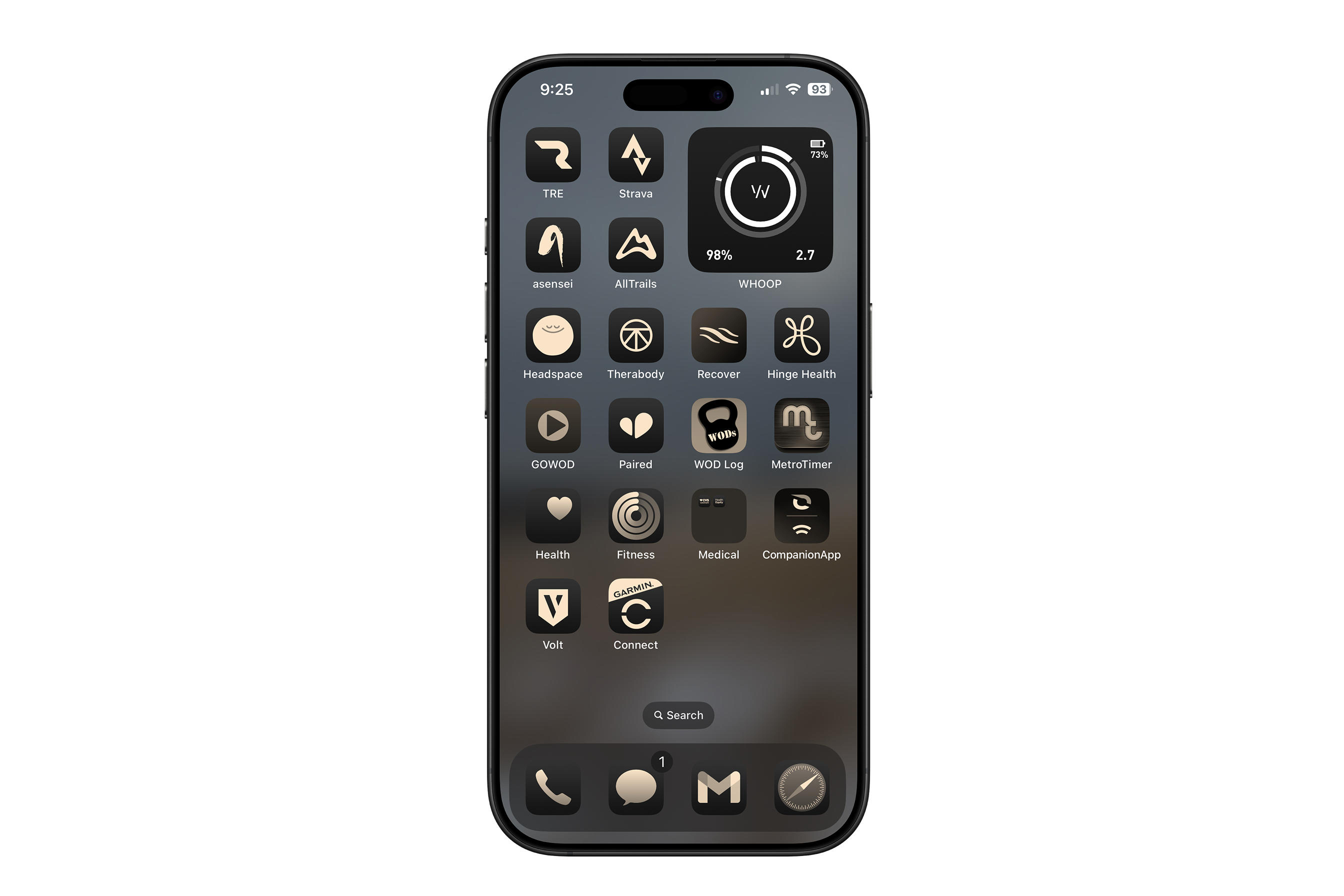 Current WHOOP widget on my iPhone home screen displaying strain and recovery values without icons.
The Context: Why This, Why Now
The spark for this experiment came from a simple observation: the WHOOP iOS home screen widget doesn’t use specific icons for strain and recovery. As someone who checks the iOS widget regularly and doesn’t want to get distracted opening apps, I realized that without labels, I had to interpret the strain value and remember the focus of my training for the week — or open the app to interpret the number correctly. WHOOP Strain uses a simple 0–21 scale, but the meaning behind that number isn’t always so straightforward to interpret.
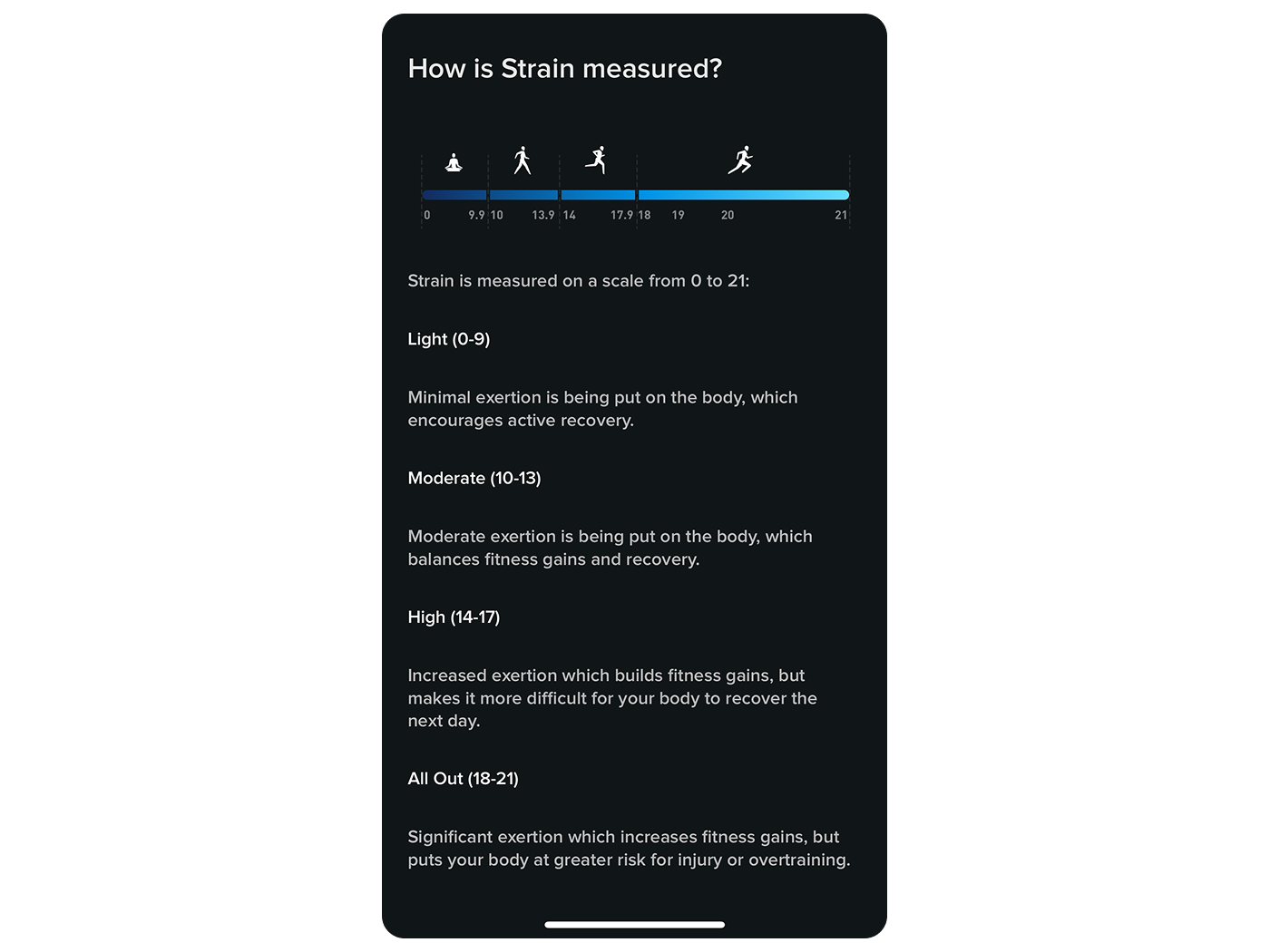 WHOOP Strain Scale in-app explainer including icons to represent ranges.
After finding how Strain is measured inside the app, I became curious about how other symbols could help communicate not just the level of strain and recovery, but their contextual meaning. For example, going all out can be good — if it’s intentional and temporary. Recovery can be a sign of health or of forced rest, even injury. That nuance made this a perfect design challenge for exploring semiotics: not just how we see symbols, but how we interpret them based on our goals and mindset.
From Idea to Icon: My Process
To bring my concept to life, I adopted a structured yet flexible approach.
1. Learning Semiotics with ChatGPT
I began with a simple prompt: understanding semiotics using strain and recovery as an example. ChatGPT helped me refresh key concepts like signifier vs. signified, and guided me in breaking down recurring semes (the underlying themes). It made the theory approachable and actionable through tables and filling in the blanks with examples.
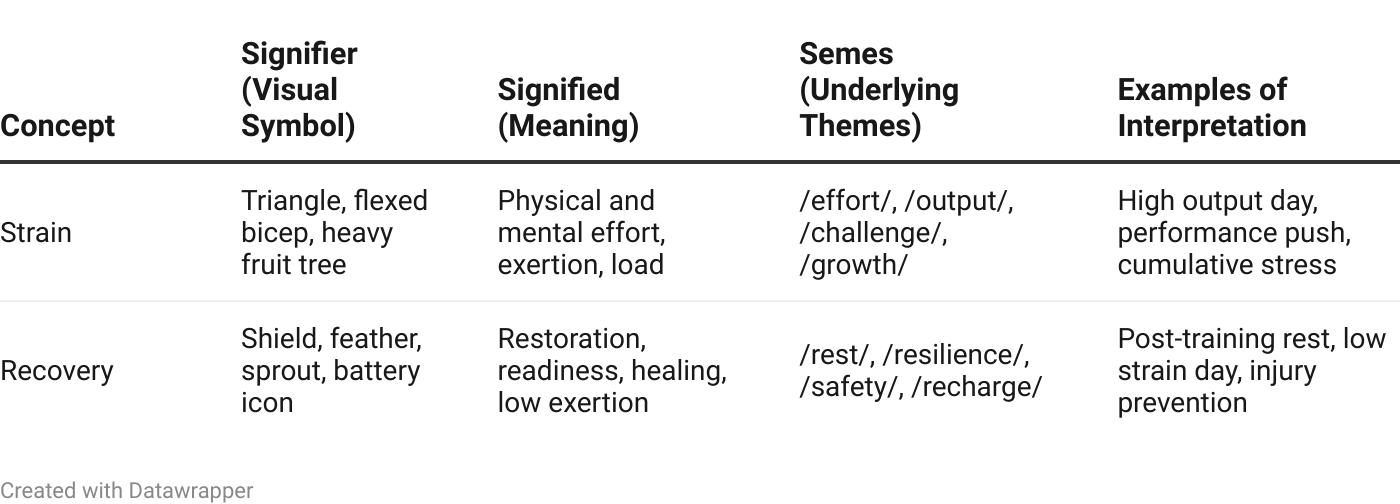 Semiotic table showing how strain and recovery can be interpreted visually and conceptually through symbols, themes, and contextual meaning.
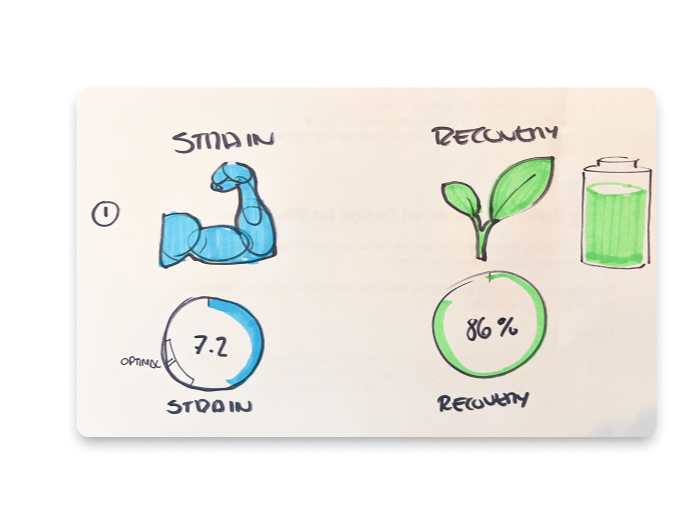 My initial hand sketches for Strain and Recovery.
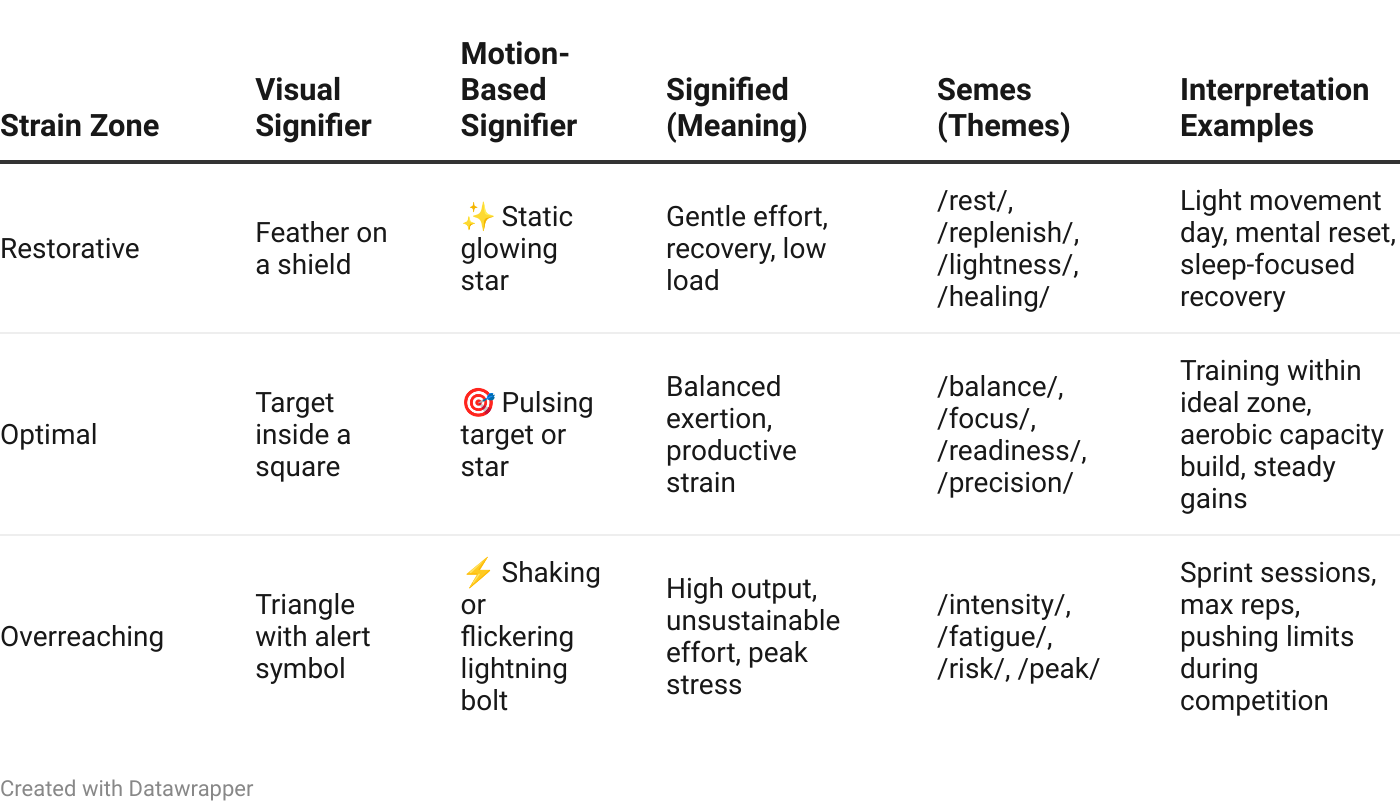 A visual and motion-based semiotic breakdown of WHOOP strain zones, exploring metaphors and interpretations for different states of physical exertion.
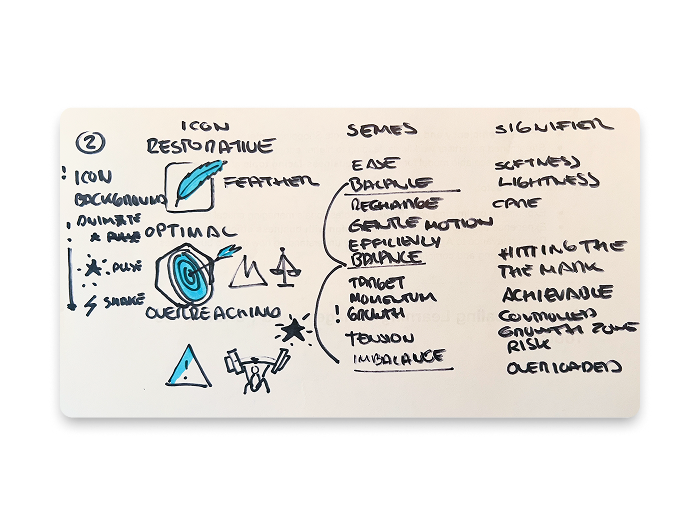 Brainstorming by hand helped me connect the semes: Here I found the “Balance” theme across my icons and found out I wanted to discover further the “Growth” theme.
2. Providing ChatGPT with the Necessary Context
I then input detailed information about WHOOP’s strain scoring and user interpretation into ChatGPT. This helped tailor the symbolic design to fit real-world usage — like restorative vs. overreaching depending on training load and recovery context.
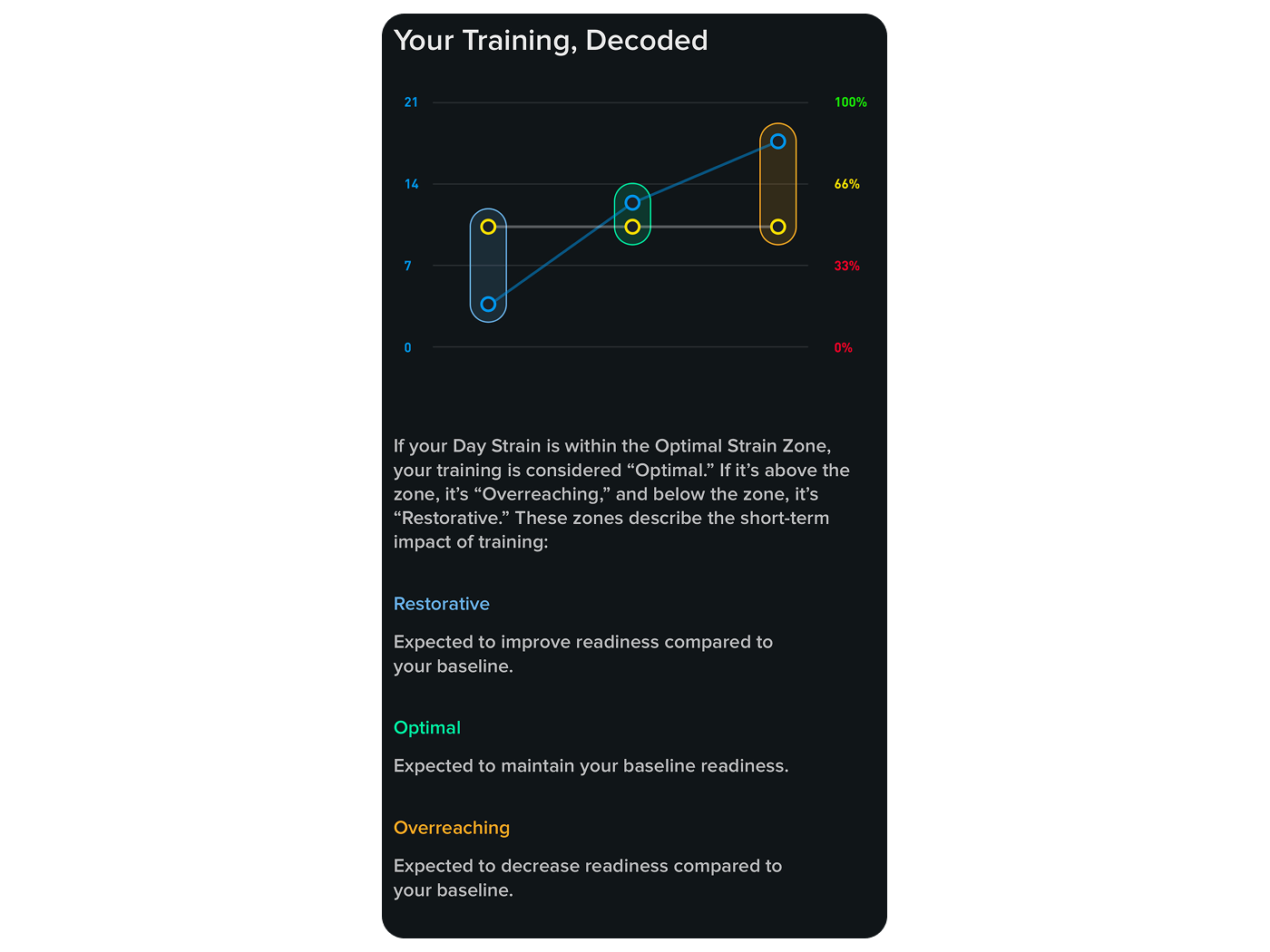 Graph from the WHOOP app visualizing the three strain zones — Restorative, Optimal, and Overreaching — used to guide training intensity based on recovery.
Tip: Attaching content like images and a link to WHOOP’s documentation made it easier to input context into ChatGPT — no need to copy and paste text when using the 4o model.
3. Creating Reference Icons and Prompts
With ChatGPT, I designed the first set of metaphoric icons — like a feather, a target, and a flexed bicep — each associated with a specific background shape. These served as visual seeds for deeper iteration.
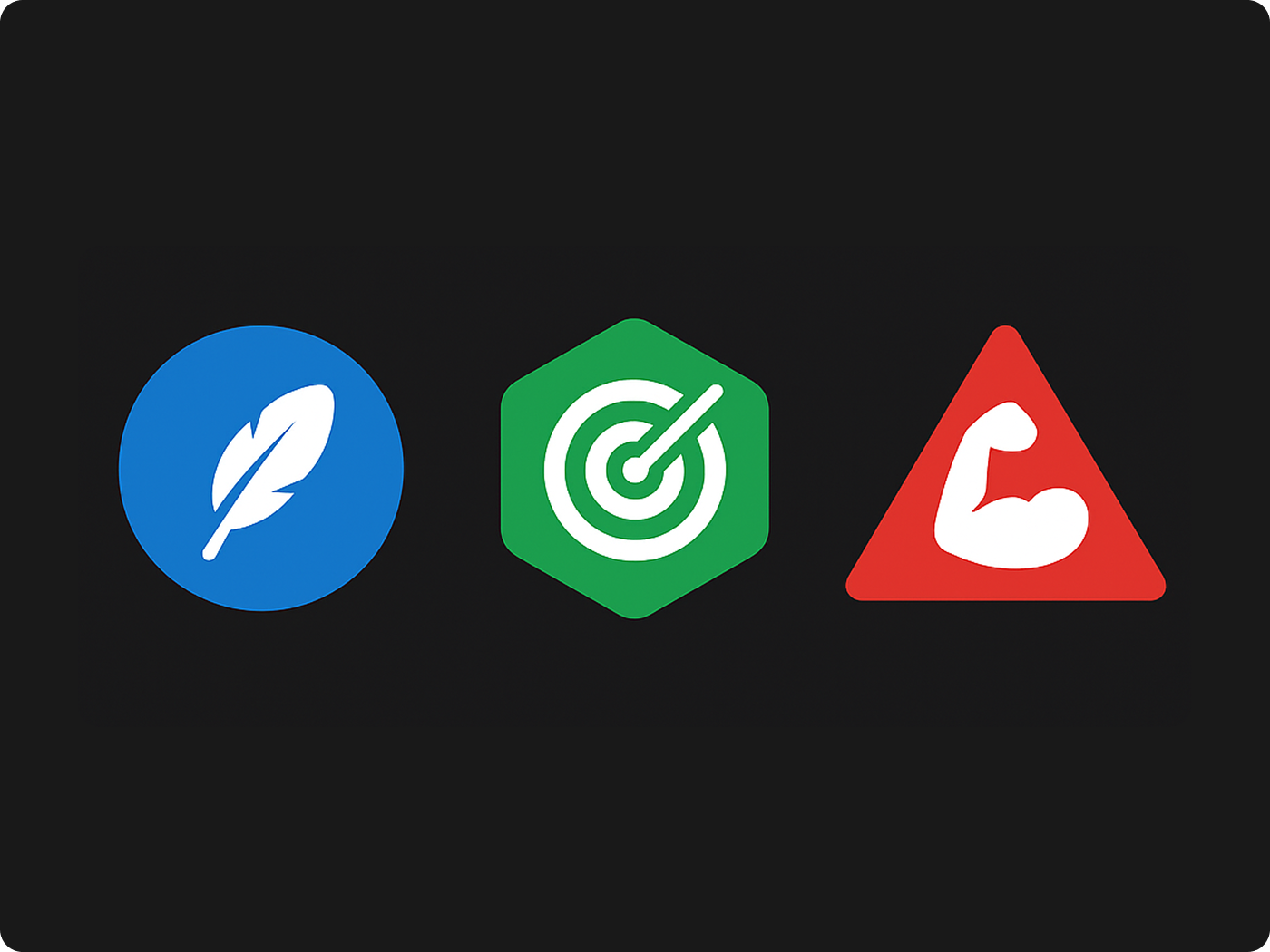 First metaphor-based icon set exploring restorative, optimal, and overreaching using universal fitness symbols: a feather in a circle, a target in a hexagon, and a flexed bicep in a triangle.
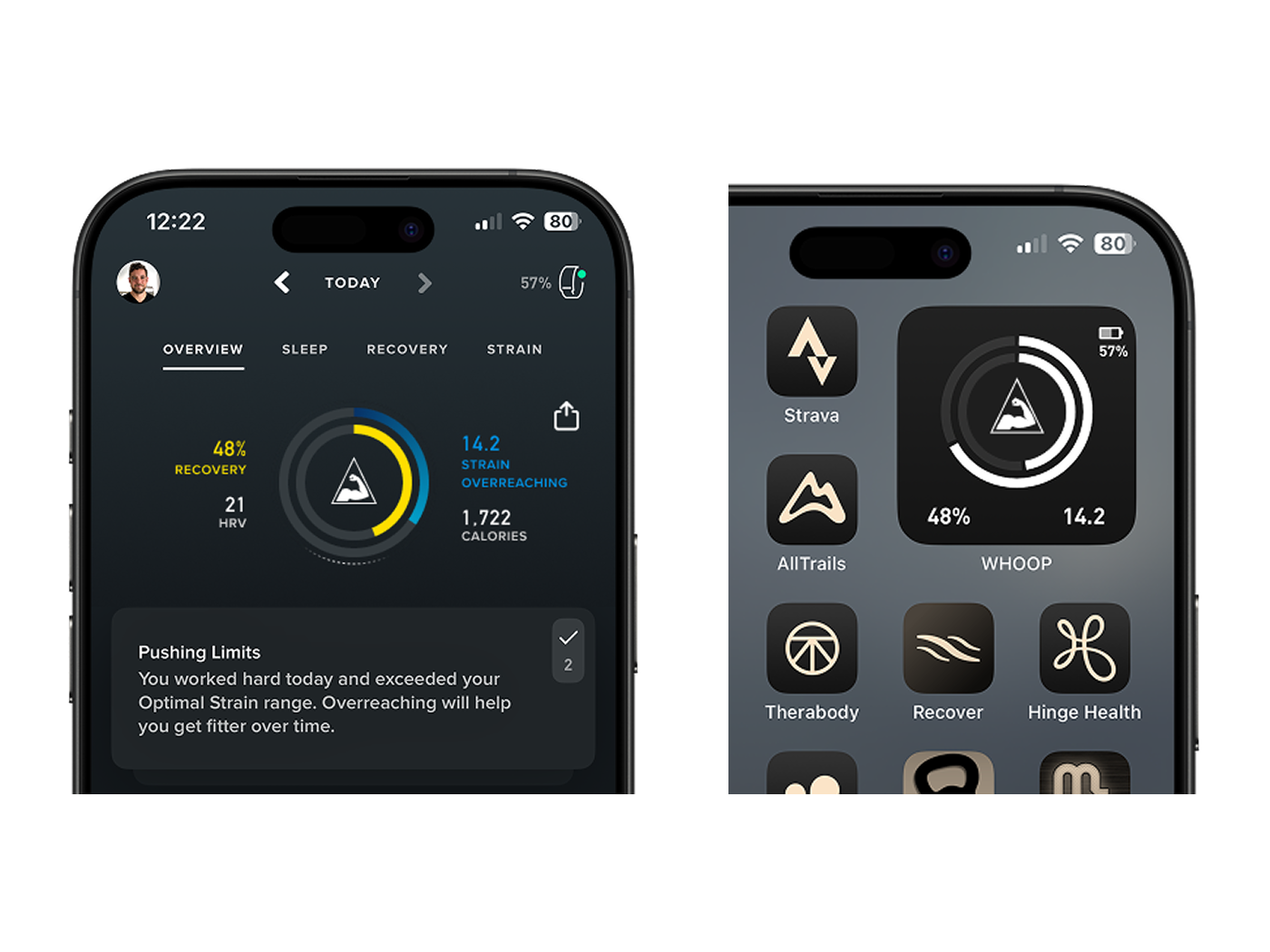 High Fidelity Mocks for Testing: A triangle + bicep symbol rendered in monochrome and placed inside the strain and recovery rings, shown in both the WHOOP app interface and iOS widget for quick context testing. Left: Overreaching icon + text label. Right: Overreaching icon in isolation without text labels.
4. Diverging into Thematic Exploration
I then explored alternative metaphor families. One direction I could quickly explore was applying nature-based metaphors combined with geometric shapes: a sprout inside a shield (restorative), a bonsai tree (optimal), and a fruit-laden tree (overreaching). These aligned better with the “Growth” theme I decided to explore — focusing on strain as a positive goal.
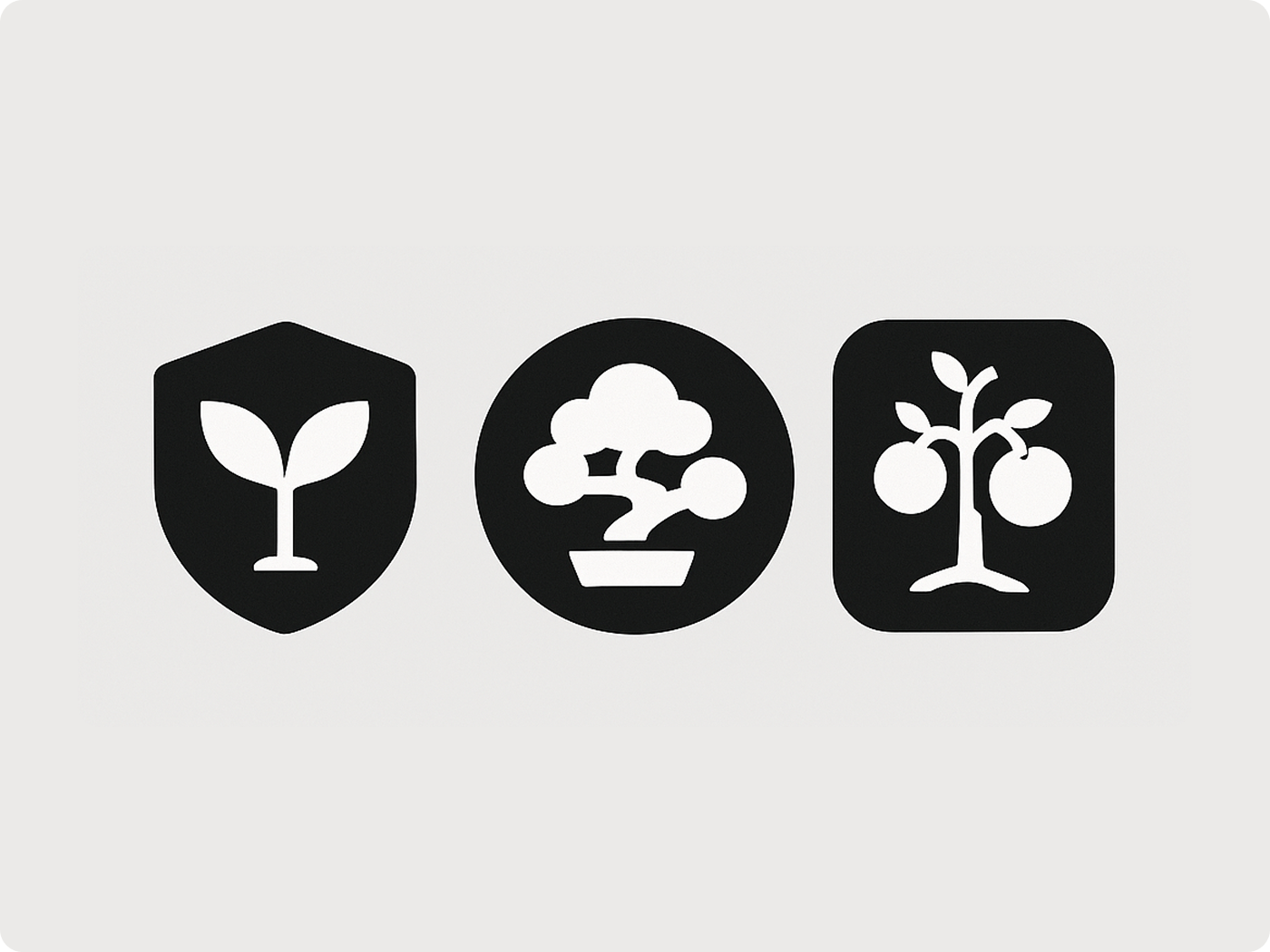 First nature-based icon set exploring restorative, optimal, and overreaching through growth metaphors: a sprout in a shield, a bonsai in a circle, and a fruiting tree in a rounded square.
5. Iterative Sketching and Refinement
At this point I was excited to start creating icons in Midjourney, but I quickly felt I’d gotten ahead of myself and continued to work with hand sketches and wireframes, stepping back from high fidelity to clarify meaning. These low-fi explorations were easier to share, test, and evolve. The outline style also fit better given the size and limited real estate of a widget.
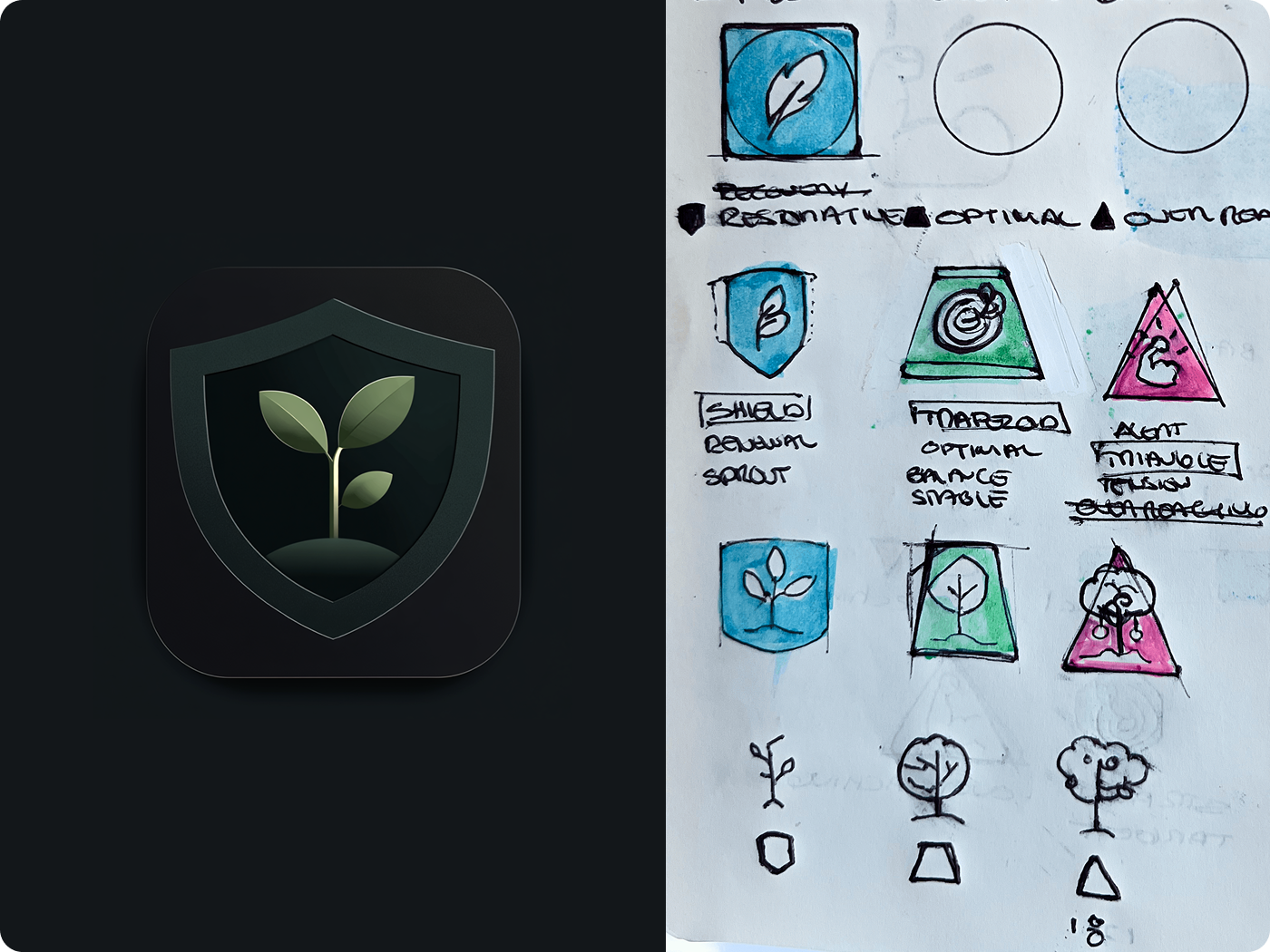 Side-by-side comparison of a high-fidelity Midjourney icon and my hand-drawn sketches exploring the restorative icon. Sketches are still a faster way to play with shapes and a cohesive family of icons.
6. Utilizing the Semiotic Table and Midjourney for Refinement
ChatGPT suggested that I generate a semiotic table to align metaphors with their meanings and design elements. This table became a visual strategy guide for symbol design, helping me think through the relationship between metaphor, shape, and meaning.
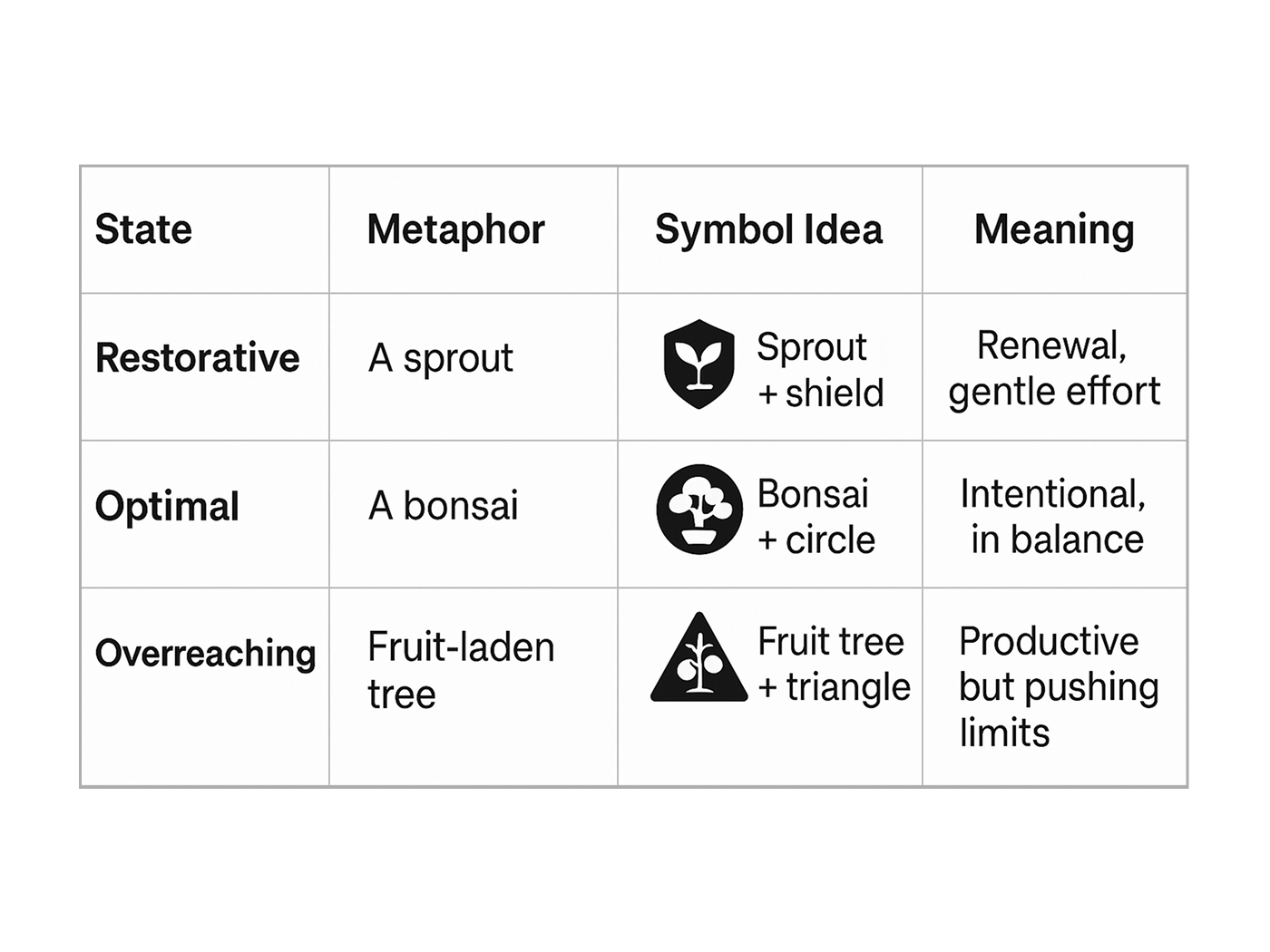 Semiotic mapping table comparing each strain state with its metaphor, icon combination, and intended meaning.
Once that foundation was in place, I turned to MidJourney’s new Draft and Conversational Mode — which felt almost like sketching with a friend. Unlike traditional, prompt-heavy workflows, this new mode let me build ideas quickly and naturally. I could refine visual styles on the fly and merge shapes with metaphor in a way that felt smooth and kept my creative flow going.
In this step I also eliminated color entirely, and the optimal bullseye icon appeared to still communicate meaning through its geometry. The feather nested inside a shield — originally in a blue circle — now conveyed protection.
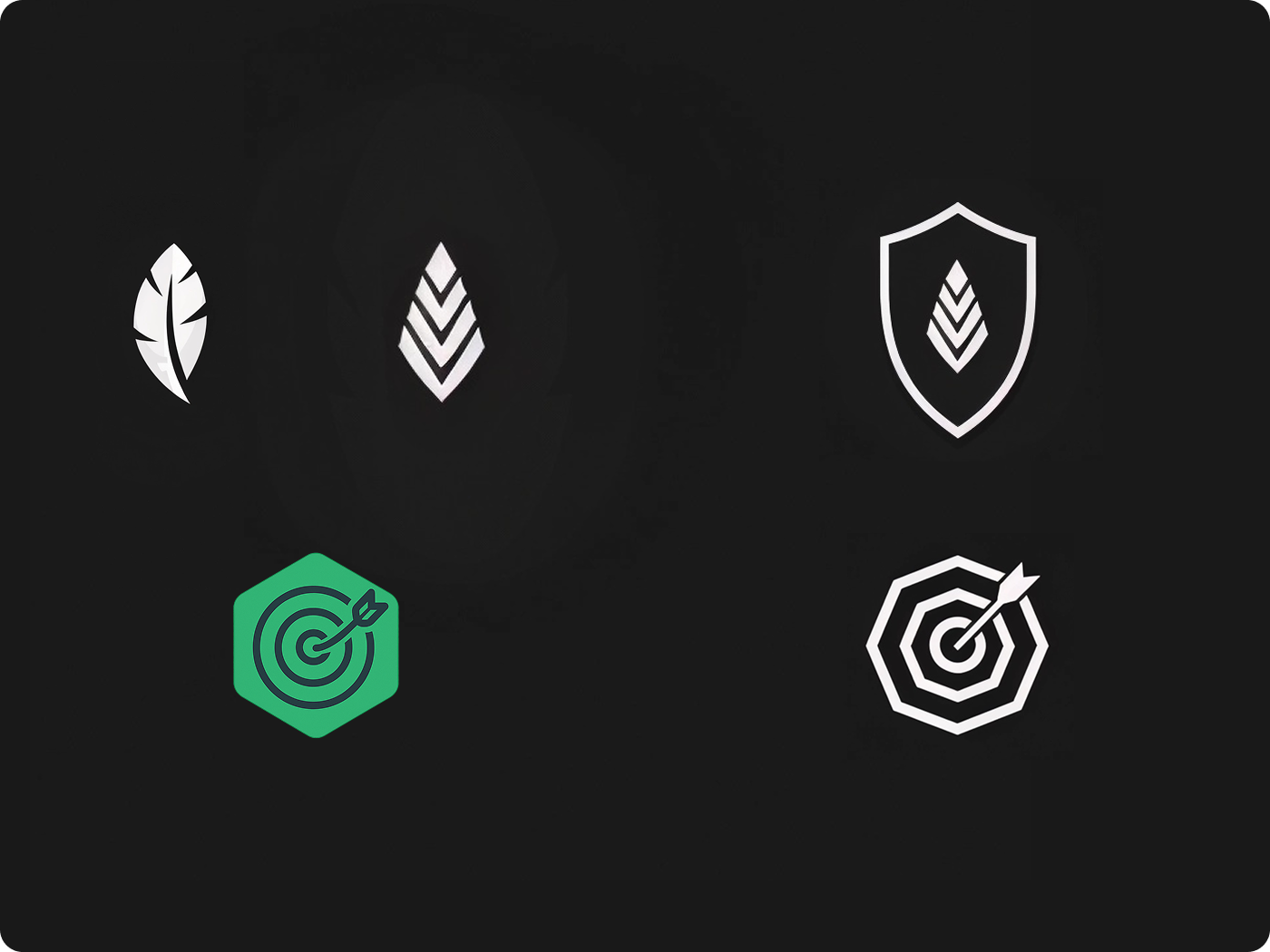 Quick icon iterations created using MidJourney’s Draft + Conversational Mode. Top: Feather icon refinement and final integration with a shield. Bottom: Bullseye target styled with hexagonal geometry to enhance metaphor clarity.
This flexible workflow allowed me to move quickly from metaphor to icon, and reach a “good enough” version to begin testing on the widget.
7. Prototyping
To test the effectiveness of my icons in context, I used Firebase Studio — a prototyping tool recently enhanced with AI that lets you build simple interactive apps using natural language prompts. With a single prompt, I created a widget prototype that displays a random strain value and updates dynamically on refresh.
While there’s still much for me to learn about Firebase Studio, this was more than enough to test the usability and clarity of my icon system. The result felt like a functional preview of what could live in a WHOOP widget I could show to people.
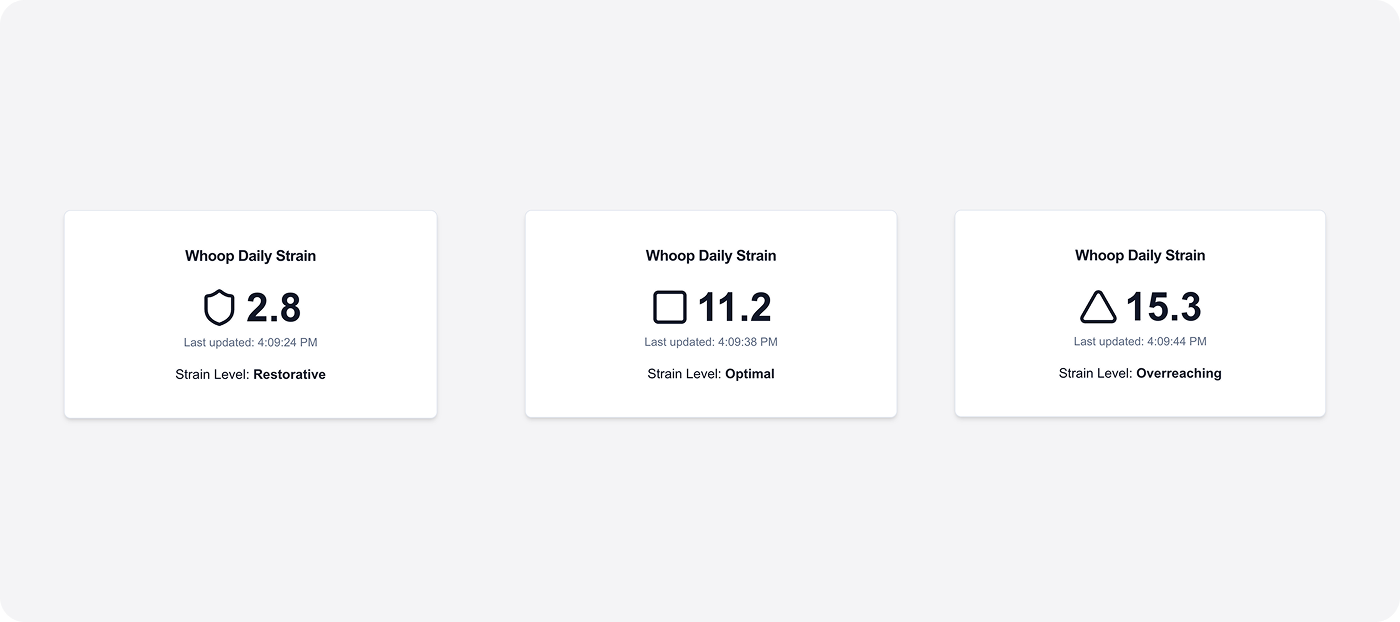 Simple prototype generated with Firebase Studio using text prompts. Each widget card displays a randomized strain value and icon representing the current training zone.
This quick prototype helped validate that geometric icons with the lowest fidelity worked best for clarity, function, and effectively conveyed their meaning. If I continue evolving this prototype, I’d love to hear from any developers using Firebase Studio — especially if you know your way around modifying it to do A/B testing to show the prototype with and without labels.
Wrapping Up: Lessons from a One-Day Design Loop
This quick experiment reminded me how fast we can move from curiosity to concept when we pair design thinking with the right AI tools.
In just one day, I was able to revisit semiotics, apply it to a real design challenge, and test multiple metaphors and icon directions across different levels of fidelity. Tools like ChatGPT and Midjourney helped me explore, pivot, and refine with surprising speed — turning theory into usable ideas in hours, not weeks.
The final icons weren’t just about visual style — they were grounded in meaning, context, and clarity. And while the output mattered, the process itself was the most energizing part.
I’ll be sharing my next tiny experiment soon. If you’re exploring how to test ideas quickly, design with meaning, or collaborate with AI tools, I’d love to connect.
Thanks for reading!